Monitor Device Performance Live
The octoja device detail page shows live telemetry for any connected device, updated every two seconds without a page refresh.
Written By Erdinc Akay
Last updated 26 days ago
The octoja device detail page shows live telemetry for any connected device, updated every two seconds without a page refresh.
Prerequisites
- The device must be online (agent connected).
- Any logged-in user can view live telemetry — no additional permissions are required.
Open the device detail page
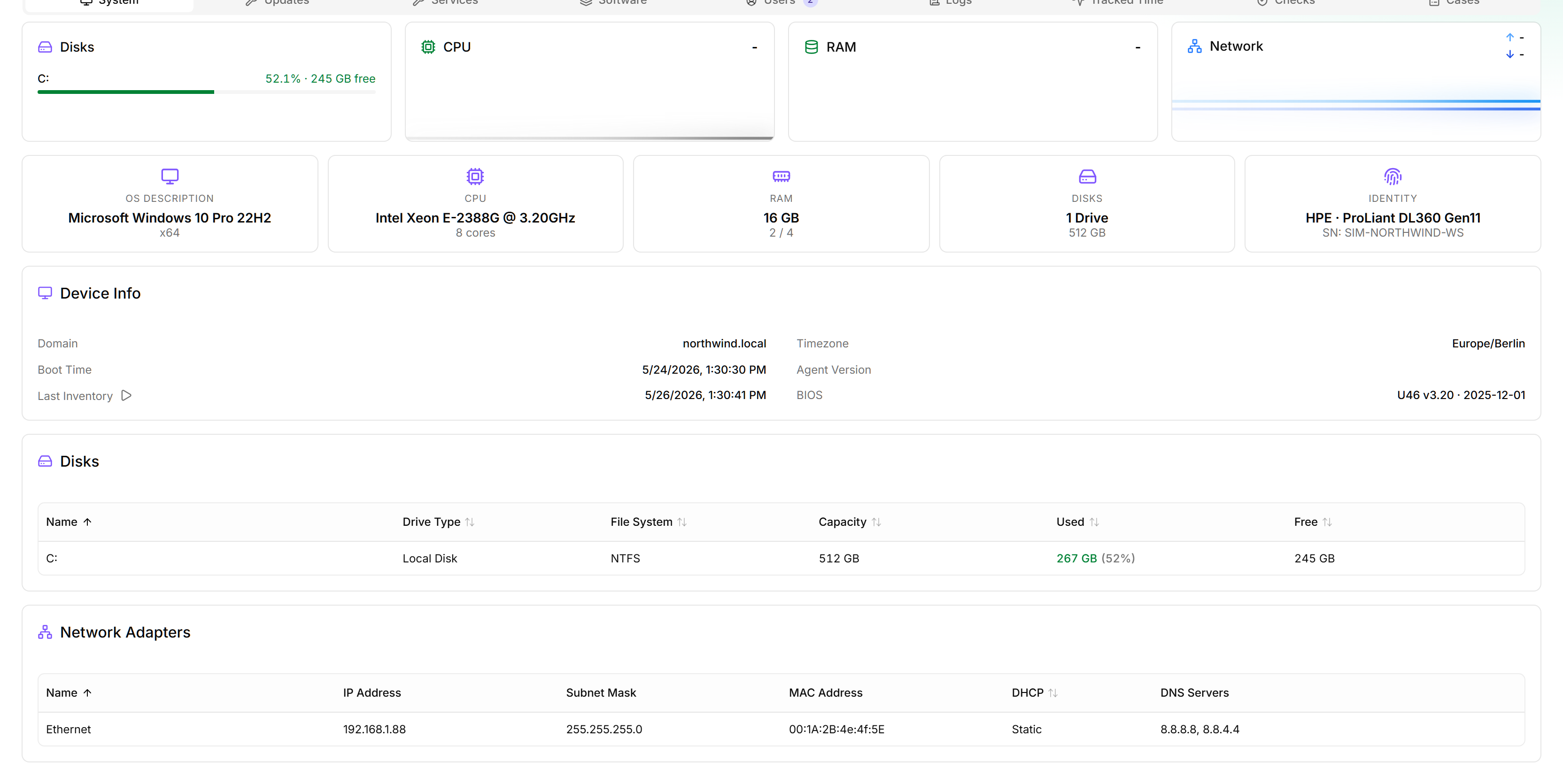
From the Devices list, click the device you want to inspect. The detail page opens with the System tab active by default.
Tabs on the device detail page
The page is organized into tabs across the top. While the device is online, the live tabs update automatically without a refresh.
The live telemetry updates in real time as the device reports its current state:
Manage services and processes
While viewing a device, you can take action directly from the live tabs:
The actions are icon-only buttons — hover one to see its label as a tooltip. Stopping or restarting a service and killing a process ask for confirmation before executing. Service and process actions are logged in the device activity log (the Logs tab) under the source Remote Action.
Tips
- If the live tabs show no data, the device may have just gone offline. Check the connection indicator at the top of the page.
- Data is polled from the agent in real time. If multiple users are viewing the same device simultaneously, each view makes its own requests to the agent.
- Live telemetry reflects the current moment only. To track performance trends over time, set up Checks — each check run records its result, giving you a growing history automatically.