Configure a Firewall Status Check
Step-by-step guide to configuring a firewall status check in octoja.
Written By Erdinc Akay
Last updated 26 days ago
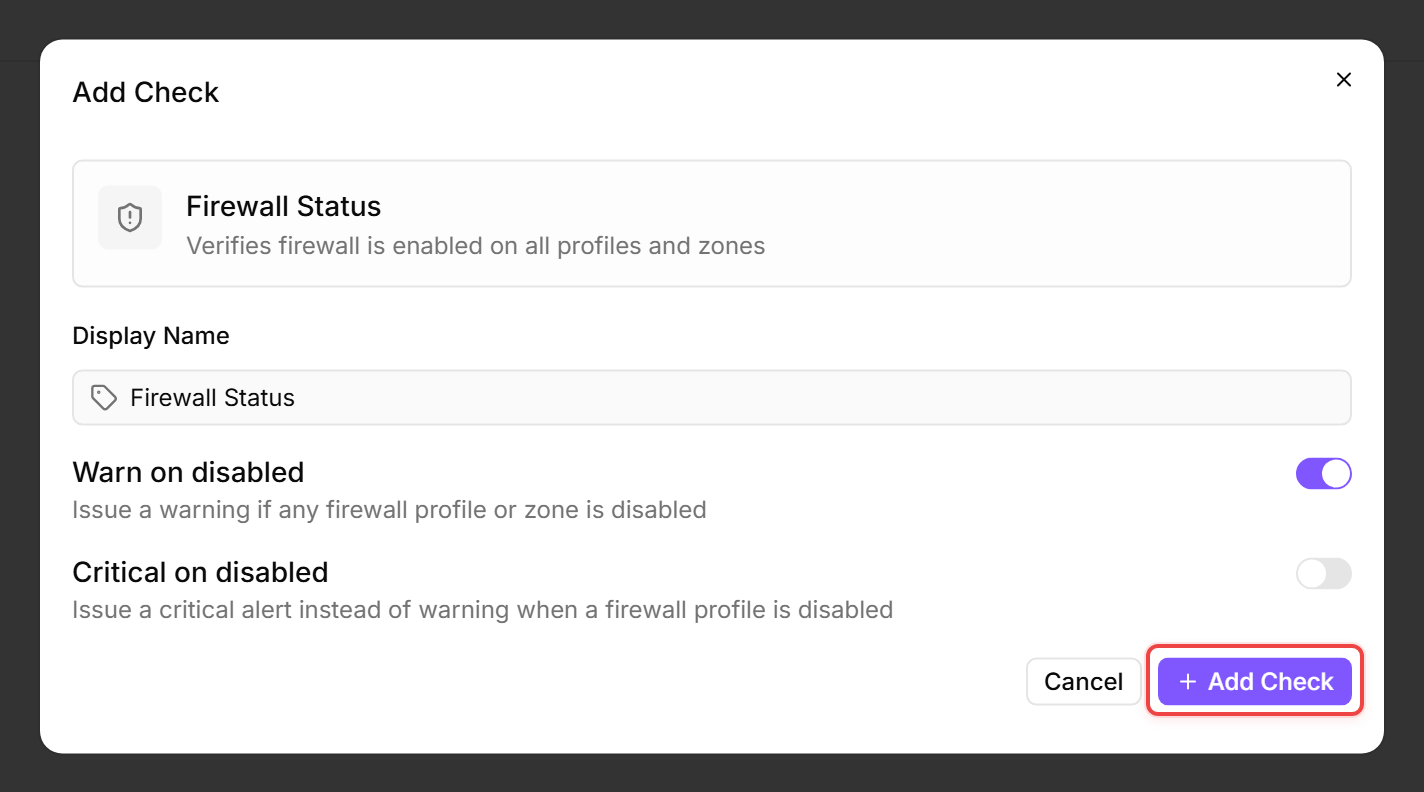
A Firewall Status Check verifies whether the operating system firewall is enabled. A disabled firewall leaves the device open to network-based attacks — this check detects that before an incident occurs.
Prerequisites
- You need the Monitoring Check Management permission.
- The target device must have a connected agent.
- The check works on Windows (Windows Firewall), Linux (ufw, firewalld, or iptables — probed in that order), and macOS (Application Layer Firewall).
Steps
- Go to Devices and open the device.
- Click the Checks tab → Add Check → Firewall Status.
- Configure the severity:
- Click Add Check.
What the check reports
- Windows: Runs
Get-NetFirewallProfile -PolicyStore ActiveStoreand reports the status of every profile the OS returns (typically Domain, Private, and Public, but the list is enumerated dynamically). The check fails if any profile has the firewall disabled. - Linux: Probes ufw first and short-circuits if it is installed; otherwise falls back to firewalld, then to iptables — which only counts as enabled when restrictive (DROP/REJECT) policies or rules are present. Reports the first firewall it finds.
- macOS: Reports whether the Application Layer Firewall (ALF, queried via
defaults read /Library/Preferences/com.apple.alf globalstate) is enabled. The reported profile is macOS Firewall or macOS Firewall (Stealth). The check does not inspectpf(packet filter).
Tips
- On Windows servers, set Critical on disabled to Yes. A server with a disabled firewall is a serious security risk.
- On workstations, a Warning is usually sufficient — the user may have temporarily disabled the firewall for troubleshooting.
- Some third-party firewalls replace Windows Firewall and disable it intentionally. Either exclude those devices from this check or add it at warning level.
After the first check interval, the result appears in the device's Checks tab.
See also: Firewall Status Check Reference