Configure a Bandwidth Check
Monitor network throughput and detect interface saturation
Written By Erdinc Akay
Last updated 26 days ago
Configure a Bandwidth Check
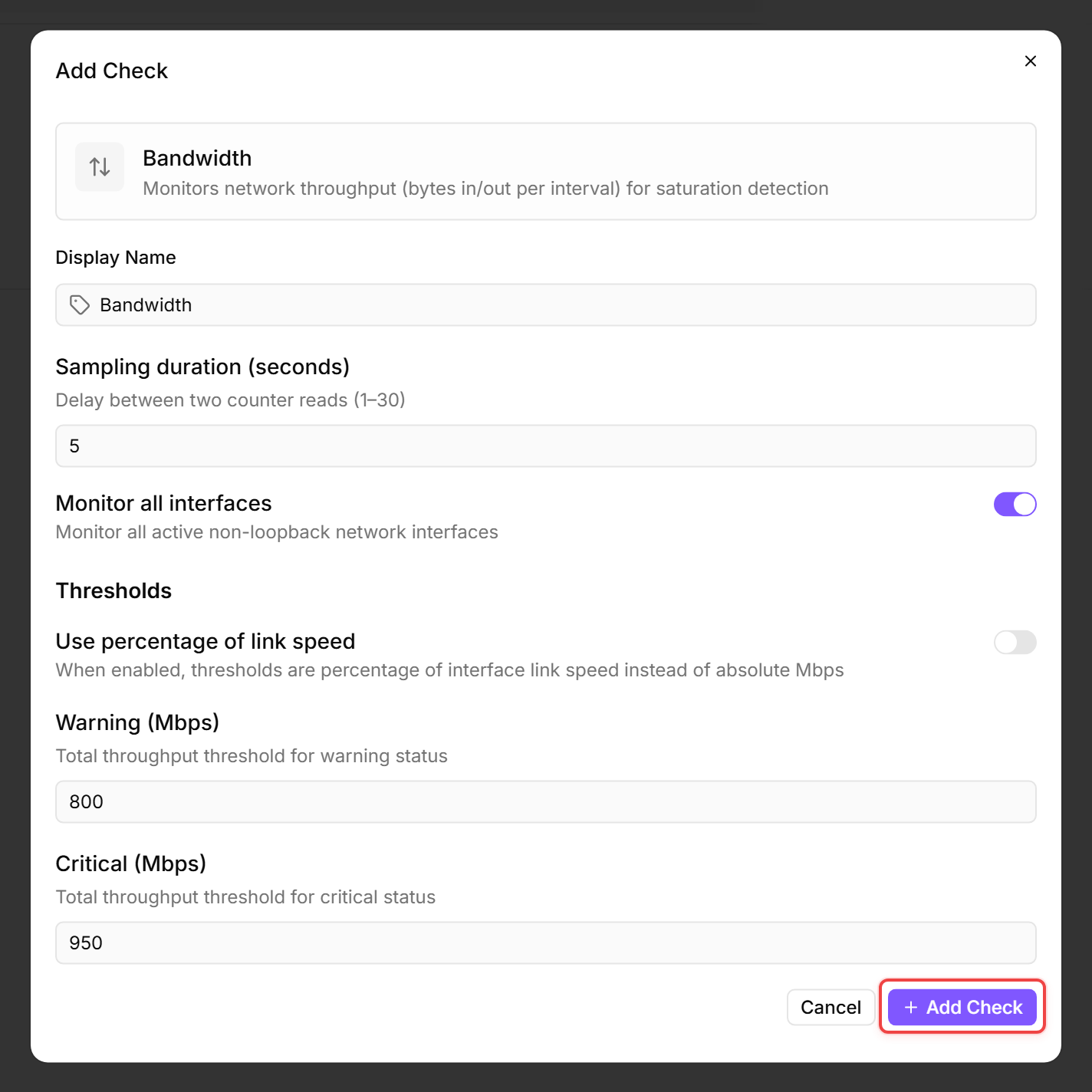
A Bandwidth Check measures network throughput on one or more interfaces and alerts when utilisation approaches the interface capacity. This lets you detect network bottlenecks before they affect users.
Prerequisites
- You need the Monitoring Check Management permission.
- The target device must have a connected agent.
Steps
- Go to Devices and open the device.
- Click the Checks tab → Add Check → Bandwidth.
- By default, the check monitors all network interfaces. You can select specific interfaces if you only want to monitor certain ones. Loopback interfaces and any interface not in the Up operational state are always skipped — if an interface you expect to see is missing from the results, check that it is enabled and connected.
- Choose how thresholds are expressed. The Use percentage of link speed toggle switches between the two modes:
- On — thresholds are entered as a percentage of the interface link speed.
- Off — thresholds are entered as absolute throughput in megabits per second.
- Configure the thresholds:
The thresholds apply to the total throughput per interface — received and sent traffic combined. If you enter a Warning value higher than the Critical value, the check automatically swaps them at runtime so the lower bound is always Warning. Percentage values are clamped to the 0–100 range.
- Click Add Check.
What the check reports
The check captures network activity over a short interval (default: 5 seconds, supported range: 1–30 seconds) and reports bytes sent, bytes received, and utilisation as a percentage for each monitored interface.
Tips
- Percent mode works best in most cases — it automatically adapts to the interface speed (1 Gbps, 10 Gbps, etc.).
- Mbps mode is useful when you want a fixed threshold regardless of interface speed, for example when monitoring a WAN link with a known bandwidth cap.
- The sampling duration affects accuracy. The default 5-second sample is a good trade-off between accuracy and performance impact.
After the first check interval, the result appears in the device's Checks tab.
See also: Bandwidth Check Reference