Configure a Power Status Check
Step-by-step guide to configuring a power status check in octoja.
Written By Erdinc Akay
Last updated 26 days ago
Configure a Power Status Check
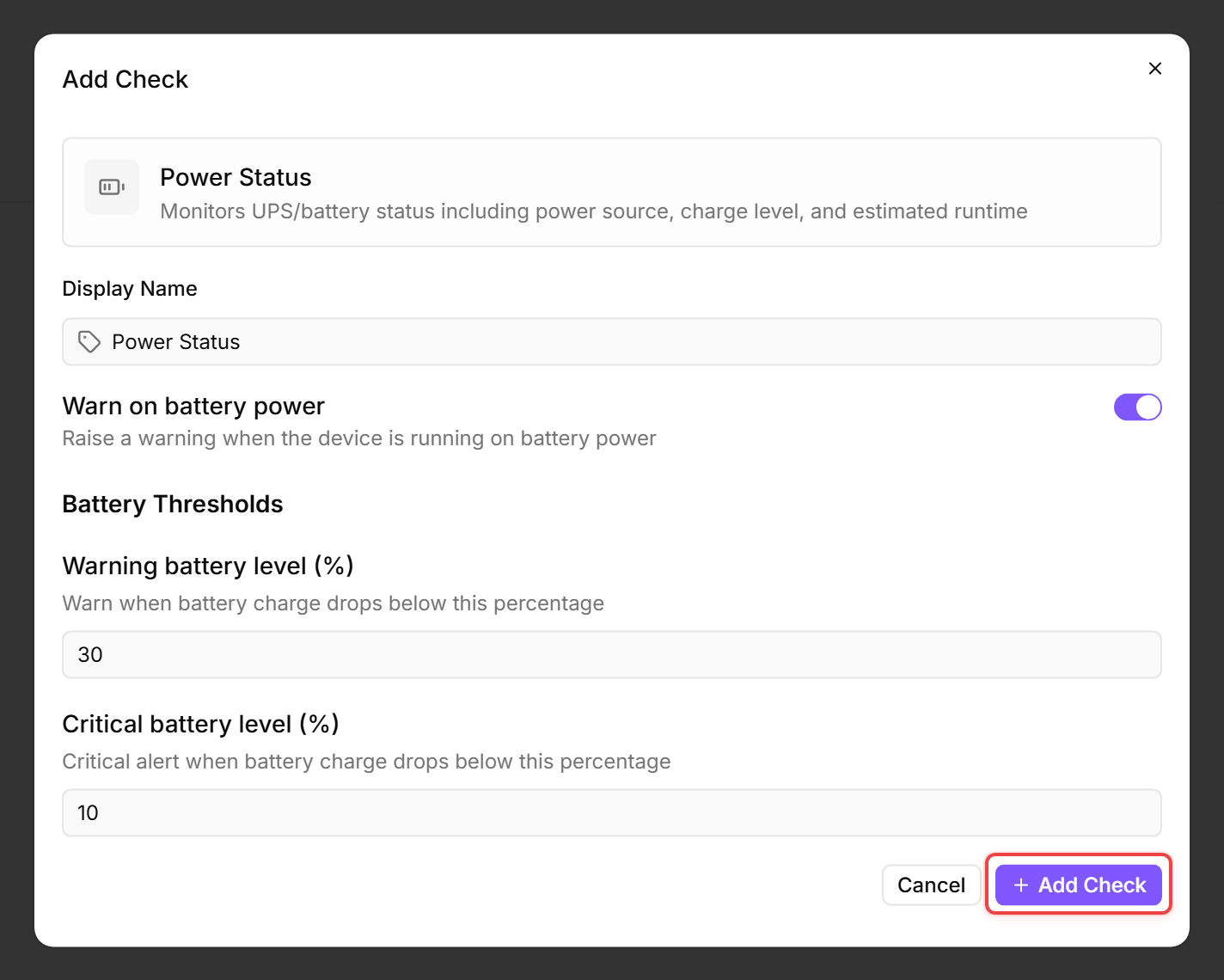
A Power Status Check monitors the power source, battery level, and overall battery health of a device. It alerts when a device switches to battery power, when the battery charge drops below a threshold, or when the battery's health degrades — important for laptops in the field and workstations on a local UPS.
Prerequisites
- You need the Monitoring Check Management permission.
- The target device must have a connected agent and a battery or UPS that reports its status to the operating system.
Steps
- Go to Devices and open the device.
- Click the Checks tab → Add Check → Power Status.
- Configure the thresholds:
- Click Add Check.
Tips
- For laptops, this check helps detect devices that users leave unplugged — a fully drained battery means data loss if the device shuts down unexpectedly.
- For desktop workstations with a UPS, this check alerts when mains power fails and the UPS takes over.
- Use this check on devices that have a battery or UPS — on devices without either, the check reports “No battery detected — running on AC power.”
- Battery health degrades over time — the warning and critical battery health thresholds catch ageing laptop batteries before they fail in the field.
After the first check interval, the result appears in the device's Checks tab.
See also: Power Status Reference