Configure an Antivirus Status Check
Get notified when antivirus protection is outdated or disabled
Written By Erdinc Akay
Last updated 26 days ago
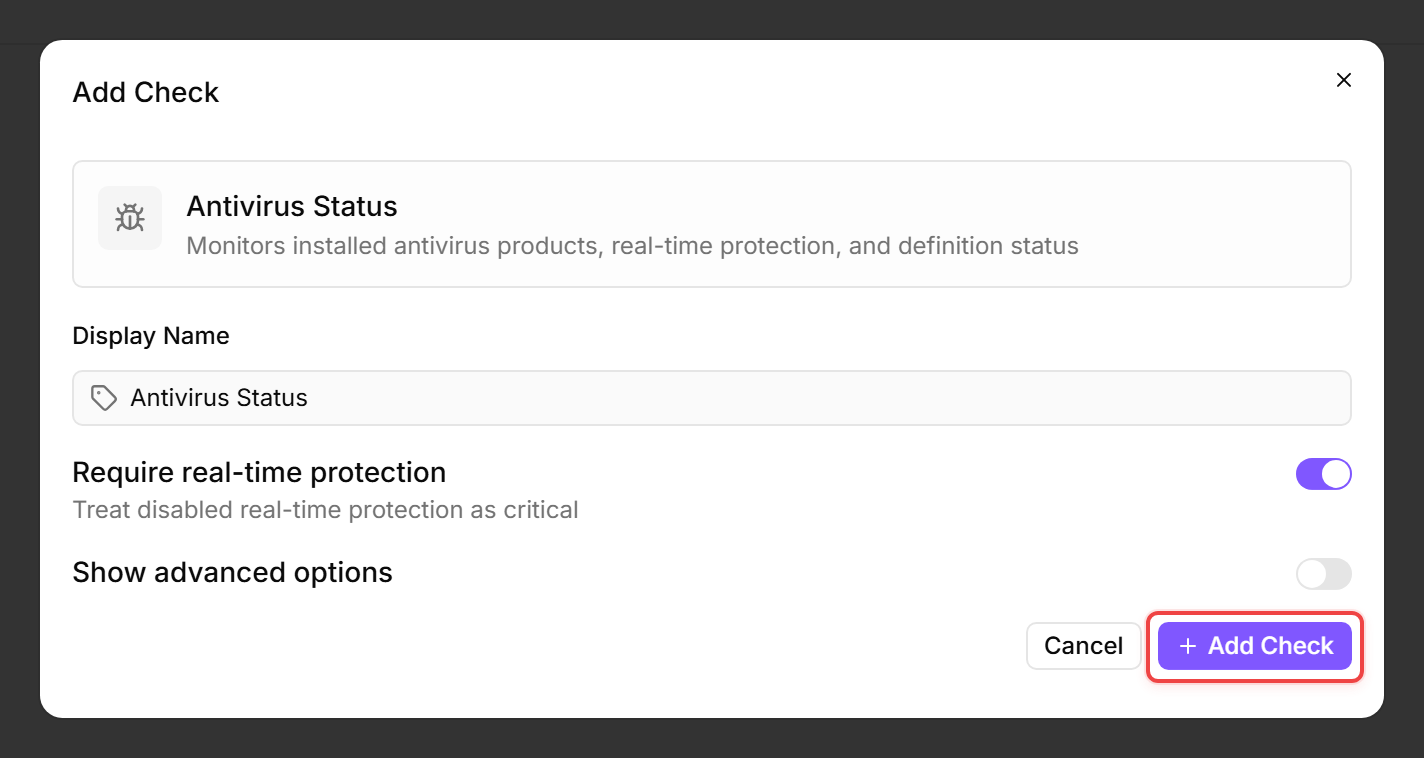
An Antivirus Status Check verifies that a recognized antivirus product is installed, that real-time protection is enabled, and that virus definitions are up to date. Outdated definitions or disabled protection are the most common reasons endpoints get compromised despite having antivirus software installed.
Prerequisites
- You need the Monitoring Check Management permission.
- The target device must be running Windows with a connected agent.
- The check uses the Windows Security Center (WMI) to query antivirus products. It works with Windows Defender, Sophos, ESET, SentinelOne, CrowdStrike, and other products that register with the Security Center.
Steps
- Go to Devices and open the device.
- Click the Checks tab → Add Check → Antivirus Status.
- By default only Require real-time protection is visible. Toggle Show advanced options to reveal the definition-age and scan-age thresholds.
- Configure the thresholds:
- Click Add Check.
What the check reports
The check result includes the antivirus product name, whether it is enabled, whether definitions are up to date, real-time protection status, definition age (in days), the last definition update timestamp, and the quick-scan and full-scan ages. If multiple antivirus products are installed and at least one is enabled, the result is aggregated across the enabled products only — Windows Defender is automatically placed in passive mode when a third-party antivirus is active, so a "Disabled" Defender alongside an enabled third-party product is expected and does not indicate a problem.
Tips
- Most endpoints should have Require real-time protection enabled. The exception is servers running specialized workloads where real-time scanning causes performance problems — schedule regular scans instead.
- If the check shows "No antivirus products detected.", the device either has no antivirus installed or the product does not register with the Windows Security Center. Some enterprise products need their WMI provider enabled. Well-known products (Windows Defender, Sophos, ESET, SentinelOne, CrowdStrike) are also detected directly, even without Security Center registration — this is the primary detection path on Windows Server, where the Security Center is not available.
- This check is Windows-only.
The check runs every 60 seconds, so the first result appears in the device's Checks tab within about a minute.
See also: Antivirus Status Check Reference