Configure a Ping Check
Check if a device or host is reachable on the network
Written By Erdinc Akay
Last updated 26 days ago
Configure a Ping Check
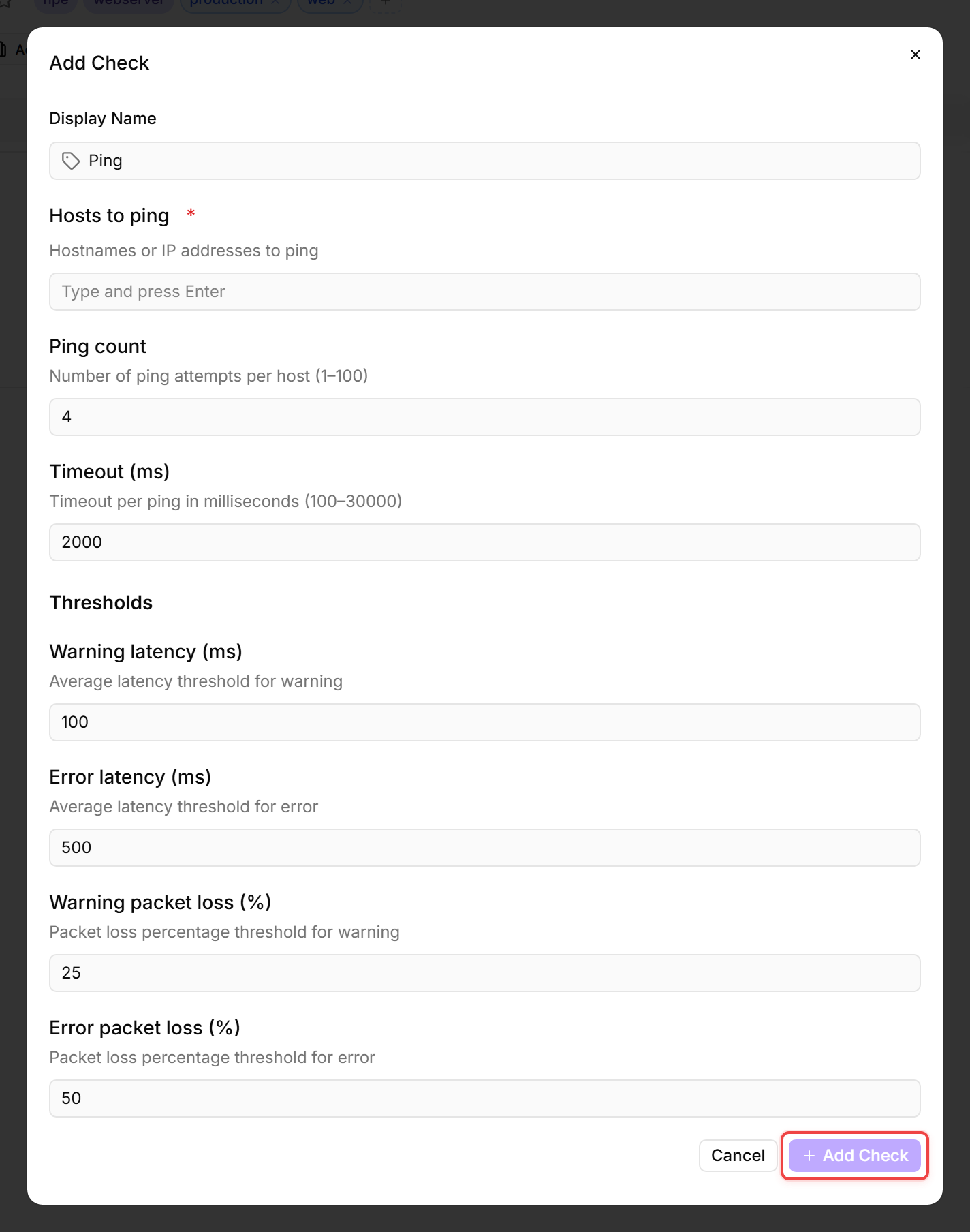
A ping check sends a simple network packet to one or more devices or hosts to verify they are reachable. If there is no response, an alert is triggered.
What ping measures
Steps
- Go to Devices and open the device that will send the pings.
- Click the Checks tab → Add Check → Ping.
- Configure:
- Display Name: a label that identifies this check in the device's Checks list (e.g. Ping).
- Hosts to ping: one or more IP addresses or hostnames to ping (e.g. your router, a remote service). Add multiple hosts to monitor several targets with one check — the check raises an alert if any host fails.
- Ping count: number of ping attempts per host. Default 4 — usually fine as is.
- Timeout (ms): how long to wait for each reply. Default 2000 ms — usually fine as is.
- Warning latency (ms): response time that triggers a warning. Default 100 ms.
- Error latency (ms): response time that triggers an error. Default 500 ms.
- Warning packet loss (%): packet loss that triggers a warning. Default 25 %.
- Error packet loss (%): packet loss that triggers an error. Default 50 %.
- Click Add Check.
Common uses
- Verify internet connectivity from a site
- Monitor a router or firewall
- Check if a printer or networked device is online
- Monitor an external service availability
After the first check interval, the result appears in the device's Checks tab.
See also: Ping Check Reference