Configure a SMART Check
Monitor hard drive health and detect failing drives early
Written By Erdinc Akay
Last updated 26 days ago
SMART (Self-Monitoring, Analysis, and Reporting Technology) is a monitoring system built into most hard drives and SSDs. It tracks the internal health of the drive and can warn you before a failure happens — often days or weeks in advance.
What is SMART?
Every modern hard drive and SSD keeps an internal log of its own health. This log tracks things like how many bad sectors the drive has found, how hot it is running, and how many hours it has been powered on. The drive uses this data to predict whether it is likely to fail soon. octoja reads this log and alerts you when something looks wrong.
Before you start
- SMART monitoring requires a physical disk. On virtual machines the check will usually report no results, because virtual disks do not provide SMART data.
- On Linux: the octoja agent uses a tool called
smartctlto read SMART data. This tool is part of the smartmontools package — octoja installs it automatically if it is missing. Only if the check reports thatsmartctlcould not be installed do you need to install the package yourself with your package manager (for examplesudo apt install smartmontoolson Debian/Ubuntu). - On Windows and macOS: no additional software is needed.
Steps
- Go to Devices and open the device.
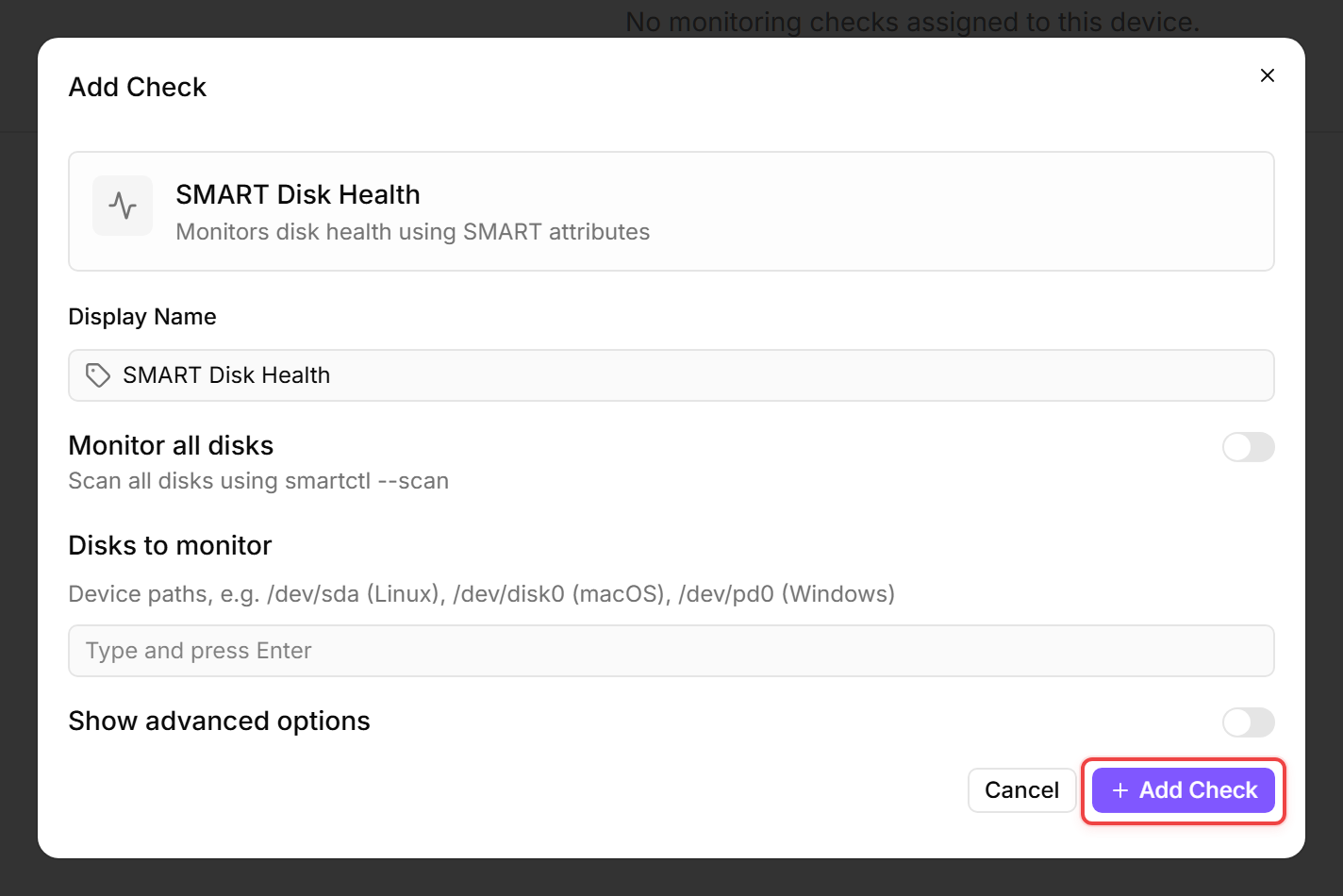
- Click the Checks tab → Add Check → SMART Disk Health.
- Monitor all disks is on by default, which covers every drive on the device automatically. To restrict monitoring instead, turn it off and add specific disk paths to the Disks to monitor list (for example
/dev/sdaon Linux,/dev/disk0on macOS, or/dev/pd0on Windows). One of the two is required — with the toggle off and no disks listed, the check has nothing to monitor. - Click Add Check to confirm.
What triggers an alert?
- Reallocated sectors or media errors — the drive found bad areas and moved data to spare areas (reallocated sectors on hard drives, media errors on NVMe drives). By default, any reallocated sector or media error triggers a critical alert. To tolerate a small count, expand Show advanced options and raise Max reallocated / media errors.
- An overall SMART status of FAIL — the drive itself is reporting that failure is likely. Replace the drive as soon as possible.
- High temperature — for hard drives, reaching 50 °C triggers a warning and 60 °C a critical alert; SSDs and NVMe drives tolerate more heat, so their defaults are 70 °C (warning) and 80 °C (critical). Expand Show advanced options to adjust all four fields: Temperature warning — HDD (°C), Temperature error — HDD (°C), Temperature warning — SSD / NVMe (°C), and Temperature error — SSD / NVMe (°C).
- A disk that disappears — if a drive that was previously reported is no longer detected, the check raises a critical alert (SMART disk is no longer detected — it may have failed or been removed). This catches a drive that has been pulled or has died. A brief delay before it fires ignores a single transient scan glitch.
What to do when you get a SMART alert
- Back up the data on that drive immediately if backups are not already in place.
- Order a replacement drive.
- Plan the swap during a maintenance window to minimise downtime.
SMART alerts are early warnings, not emergencies — but do not ignore them. A drive that is reporting problems will usually continue to degrade.
Notes
- SSDs and HDDs both support SMART but report different metrics. octoja interprets both correctly.
- SMART data is read locally by the agent. No network traffic or special firewall rules are required.
After the first check interval, the result appears in the device's Checks tab.