octoja v1.0.2820 — macOS remote support and MCP server
New
Remote support for Macs — View and control Macs through Remote Desktop, including display switching and clipboard text.
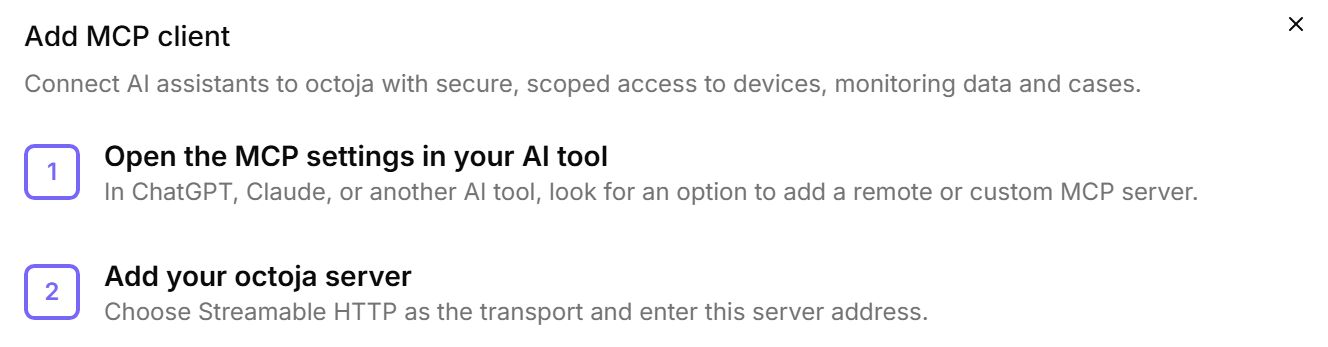
octoja MCP server for AI assistants — Connect compatible MCP clients under Settings → MCP Clients; existing administrator groups receive the required permission automatically during the upgrade.
Remediate Lywand vulnerabilities across multiple devices — Run matching Winget or Chocolatey updates immediately or keep them as a permanent Update Only rule.
More automation capabilities — Automations can involve users and manage services, processes, local accounts, Registry values, maintenance mode, and cases.
Offer custom Windows packages through Software Kiosk
Use customer fields in checks and automations
Control support access for external users — Block cases and conversations without blocking help articles and release notes.
Improved
Filter and evaluate devices faster — New filters, custom-field columns, and direct inventory links shorten the path to the relevant device list.
Multi-select custom fields — Choose several values; tables and exports show every saved selection.
Manage custom checks directly in the Check Library — Preview different inputs without saving the check.
More useful check results — Cases, Dashboard, and TV View show clearer results in the selected language.
View shared configurations with limited customer access — Relevant configuration packages, automations, and patch policies remain visible as read-only.
TANSS synchronization without a personal user account — A TANSS token is enough for device matching, and missing PCs can be created with their IP addresses.
View and change schedule time zones — New schedules use the browser time zone.
Hide devices in maintenance mode from TV View — No maintenance also removes them from totals.
Open network-device web interfaces reliably from octoja — Sign-in, navigation, and downloads work with modern web apps and in a separate tab.
Failover monitoring for agentless network devices — Configure an ordered list of monitoring devices that take over automatically when one becomes unavailable.
Remote Times reports show session notes — The per-session view includes the note recorded for each remote-support session.
More meaningful executive report — Patch status, antivirus, backups, and monitoring determine the score instead of a snapshot of reachable devices.
Fixed
Update All retains exclusions and minimum age
Approved patch cycles remain unchanged — New updates or revisions no longer reset approval or timing, or replace an existing selection.
The Mac agent stays usable after updates and wake-ups — A temporarily unavailable display no longer prevents startup.
Acronis loads deeply nested tenants
Custom-check history shows the correct status
Fewer false alerts after agent restarts — Transient check failures are reported only after they are confirmed again.
Bitdefender installs work with current vendor filenames
Authentication for external check repositories works again
Custom-field defaults work in automations — This also applies to existing customers and devices.
Manual automations respect customer access
Devices can be found by their displayed IP address
Event logs sort chronologically again
SNMPv3 settings persist through testing and editing
Agentless-device cases belong to the monitored device
OQL rules can be removed completely
Checks
New checks for Dell iDRAC, ZFS, DataCore SANsymphony, TR-064 gateways, Acronis Cyber Protect Cloud, and Software Allowlist — They monitor server hardware, storage, gateways, backups, and allowed software.
More accurate checks for OPNsense, printers, Windows Firewall, network interfaces, Windows services, and user accounts
More complete Windows update and ESU detection
More reliable backup and system checks for Veeam, Acronis, Hyper-V, and Securepoint