Configure an HTTP Content Check
Check web endpoints for expected content and response time
Written By Erdinc Akay
Last updated 26 days ago
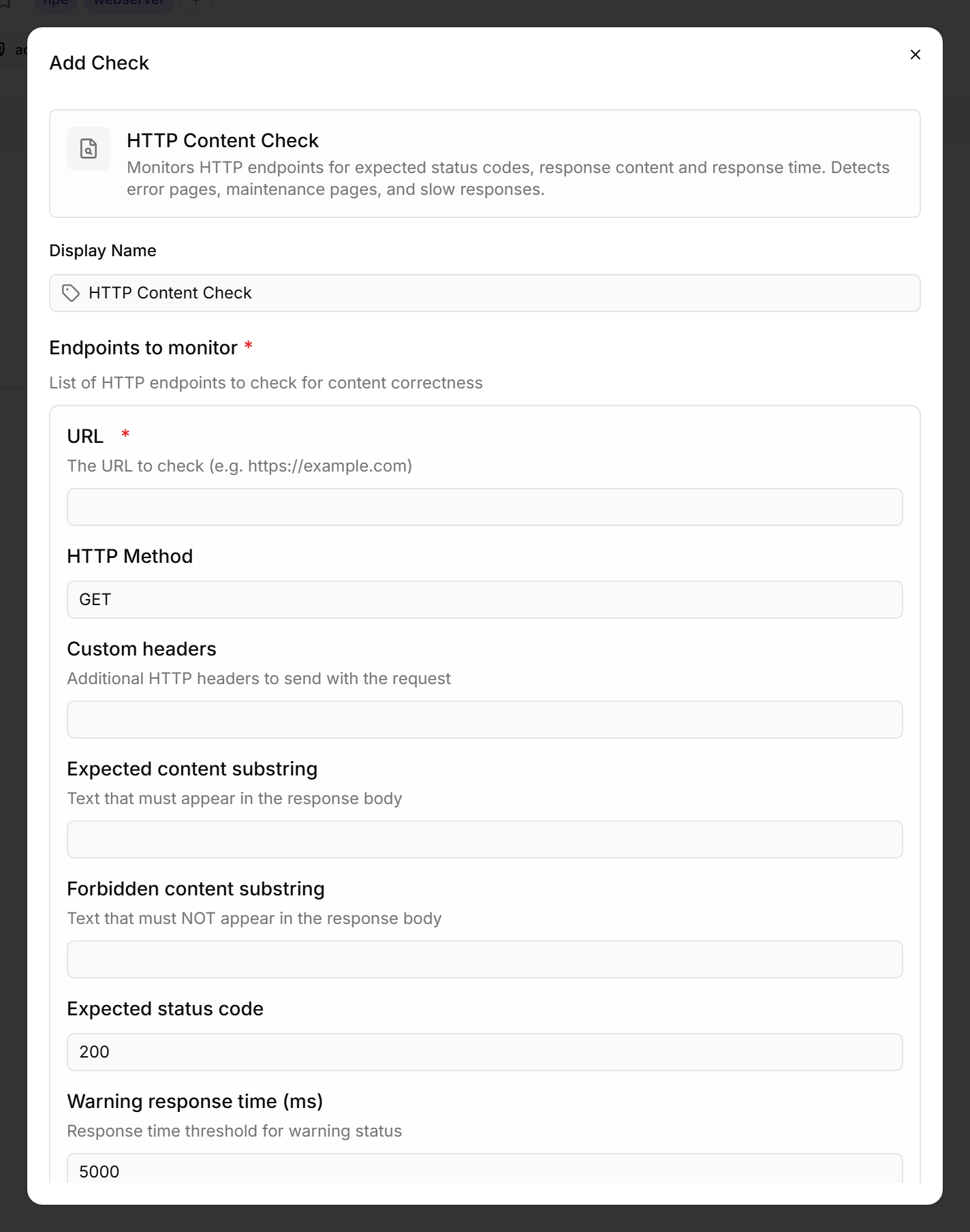
An HTTP Content Check goes beyond simple availability monitoring. It verifies that a web endpoint returns the expected content — and catches scenarios where a website loads but displays an error page, maintenance page, or stale data.
Prerequisites
- You need the Monitoring Check Management permission.
- The target device must have a connected agent with network access to the endpoint.
Steps
- Go to Devices and open the device.
- Click the Checks tab → Add Check → HTTP Content Check.
- Add one or more endpoints to monitor:
- Optional: Configure custom headers, and — for
POSTrequests — a request body for API endpoints. - Click Add Check.
Tips
- Use this check for health endpoints that return JSON — check for
"status":"ok"or similar known content. - The Forbidden content substring field catches error pages. Set it to e.g.
"error"or"maintenance"to detect when a website shows an error page but still returns HTTP 200. - For simple SSL certificate and availability monitoring without content checking, use the simpler SSL / HTTP check instead.
The check runs every 10 minutes by default. The first result appears in the device's Checks tab shortly after you add the check.
See also: HTTP Content Check Reference