Configure an APC UPS Check
Step-by-step guide to configuring an APC UPS monitoring check in octoja.
Written By Erdinc Akay
Last updated 26 days ago
Configure an APC UPS Check
An APC UPS Check monitors APC uninterruptible power supplies via SNMP. It collects battery charge, estimated runtime, output load, input voltage, and self-test results — so you are informed about power issues before they cause an unclean shutdown.
Prerequisites
- You need the Monitoring Check Management permission.
- The target device must have a connected agent with network access to the UPS.
- The UPS must have SNMP enabled. The check supports both SNMP v2c (community string) and SNMP v3 (user-based security). Pick the version your UPS is configured for.
Steps
- Go to Devices and open the device that has network access to the UPS.
- Click the Checks tab → Add Check → APC UPS.
- Enter the hostname or IP address of the UPS.
- Choose the SNMP version (default:
v2c):- For v2c, enter the SNMP community (default:
public). - For v3, enter the SNMPv3 user and choose an Authentication protocol (None, SHA-1 or SHA-256) with its Authentication password. If you also need encryption, set a Privacy protocol (None, AES-128, AES-192 or AES-256) and Privacy password. Both protocols default to
None.
- For v2c, enter the SNMP community (default:
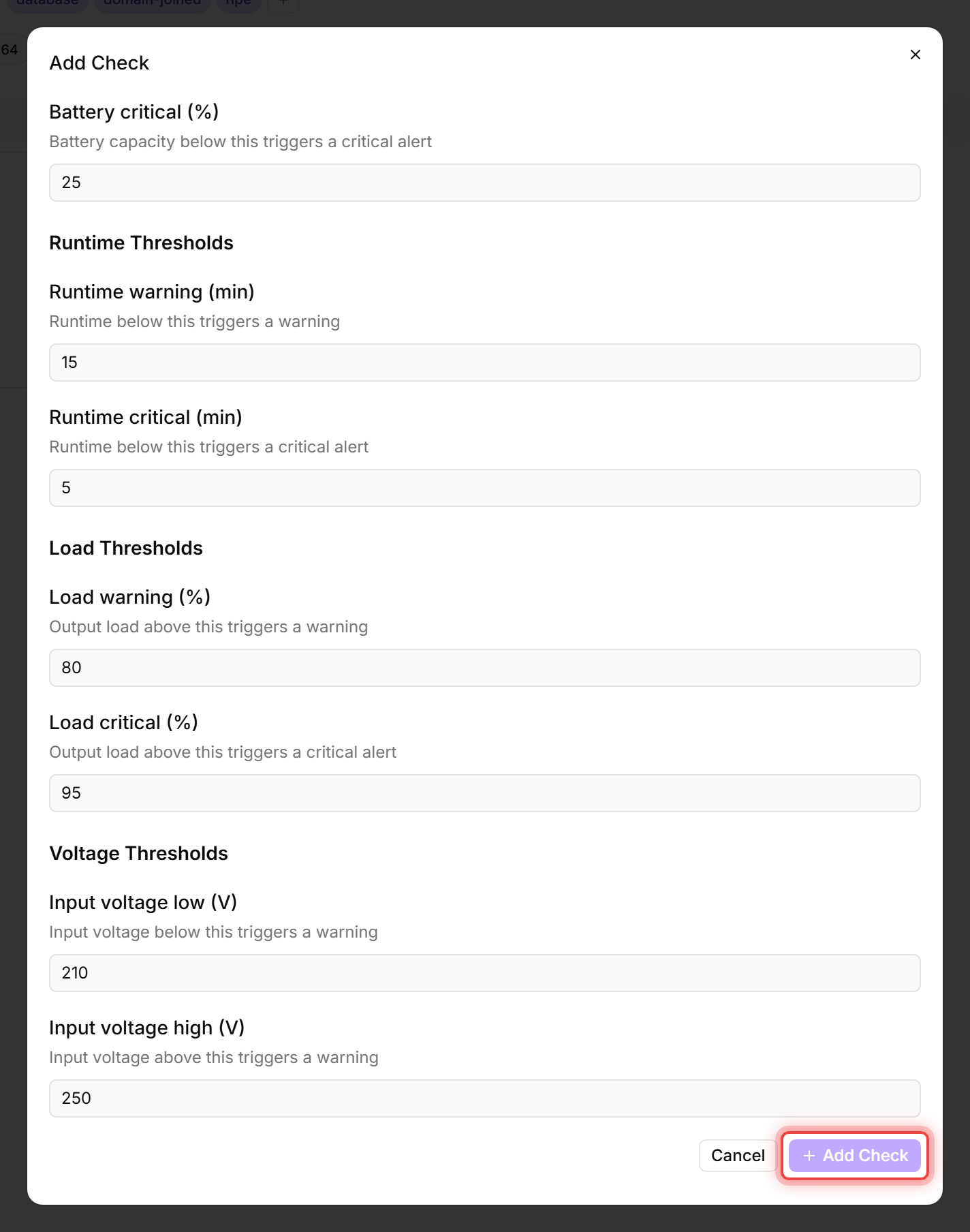
- Configure the thresholds. The editor groups them into Battery Thresholds, Runtime Thresholds, Load Thresholds, and Voltage Thresholds — make sure to set values in all four groups:
- Click Add Check.
What the check reports
The check result includes battery charge as a percentage, estimated runtime in minutes, output load as a percentage, input and output voltage, input and output frequency (Hz), output current (A), temperature, UPS status (for example Online or On Battery), UPS model and firmware version, the last transfer reason, and the date and result of the last self-test.
When the UPS reports that its battery needs replacement, the detail view shows a prominent red banner at the top so you can plan a battery swap before the next outage.
Tips
- Run this check from a device in the same network segment as the UPS. The check connects via SNMP, not through the normal agent connection to the platform.
- If you have multiple UPS units, create a separate check for each one (different host addresses).
- Set the load thresholds based on your UPS capacity. An 80 % load warning gives you time to redistribute the load before the UPS is overloaded.
After the first check interval, the result appears in the device's Checks tab.
See also: APC UPS Check Reference