Configure a File Age Check
Step-by-step guide to configuring a file age monitoring check in octoja.
Written By Erdinc Akay
Last updated 25 days ago
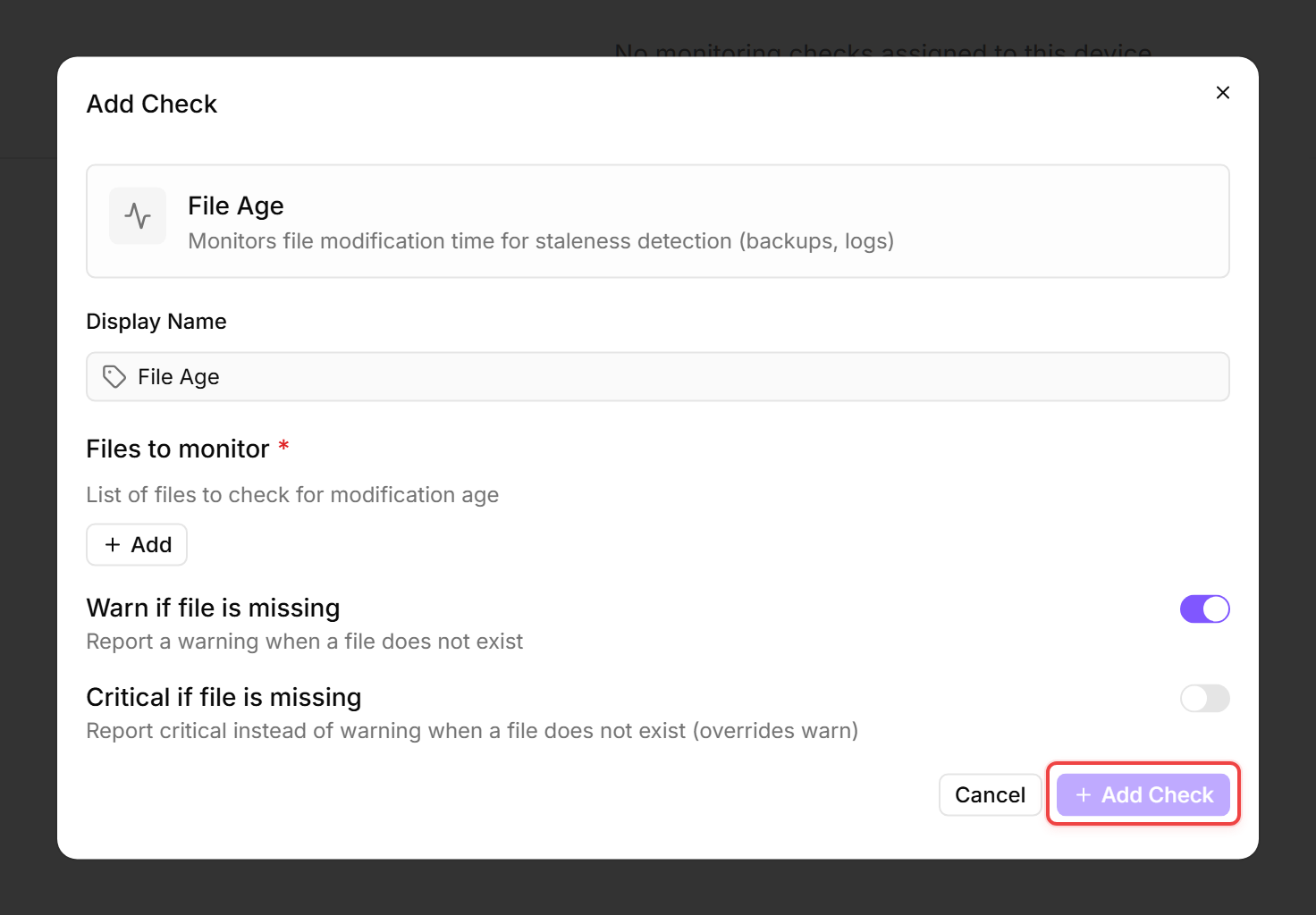
A File Age Check monitors when a file was last modified. This is useful for verifying that backup files, log files, or data exports are being created on schedule.
Prerequisites
- You need the Monitoring Check Management permission.
- The target device must have a connected agent.
- The agent must have read access to the monitored file paths.
Steps
- Go to Devices and open the device.
- Click the Checks tab → Add Check → File Age.
- Add one or more file paths, each with its own thresholds:
- Choose what happens if the file does not exist:
- Warn if file is missing (default: Yes) — Warns if the file is not found
- Critical if file is missing — Critical if the file is not found
- Click Add Check to save.
What the check reports
The check reports the last modification time and age for each monitored file, or a missing alert if the file does not exist.
Tips
- Use this check to verify that automated processes (backups, exports, log rotation) are completing on schedule.
- Set the thresholds based on the expected update frequency. A daily backup file should warn at 24 hours and go critical at 48 hours.
- On Linux, use forward slashes in paths (e.g.
/var/backups/daily.sql.gz). On Windows, both backslashes and forward slashes work.
After the first check interval, the result appears in the device's Checks tab.
See also: File Age Check Reference