Write result text for custom checks
Create Scriban templates for compact check summaries and detailed case descriptions.
A custom check can provide a readable short summary and a detailed description alongside its metrics. Short text is used in compact notifications and overviews; detailed text is used in internal and external cases. Templates change presentation, not the status calculated by the check.
Prerequisites
You need a custom check with a defined output schema and permission to manage custom checks. A live test also needs a suitable device and permission to execute scripts on it. Text preview alone does not execute a script.
Edit templates
- Open your custom check in the editor and select Result Text.
- Choose a language. Supply at least English as the fallback when another language is missing.
- Build the Short text and Detailed text. A new result text starts in Visual builder mode: use Add block to combine text, output values, the current status, conditions, lists and line breaks, and octoja generates the Scriban template for you. Under Advanced Scriban you edit the template directly. Switching existing free-form Scriban templates to the visual builder clears them in every language. Use your check's output keys, not layout labels.
- Choose Preview and inspect Generated Text. Preview uses the latest live-test output when available, otherwise sample data from the output schema. Check warning, failure and empty results with suitable test data before assigning the check broadly.
- Correct reported template errors and choose Save. Preview alone does not save the templates.
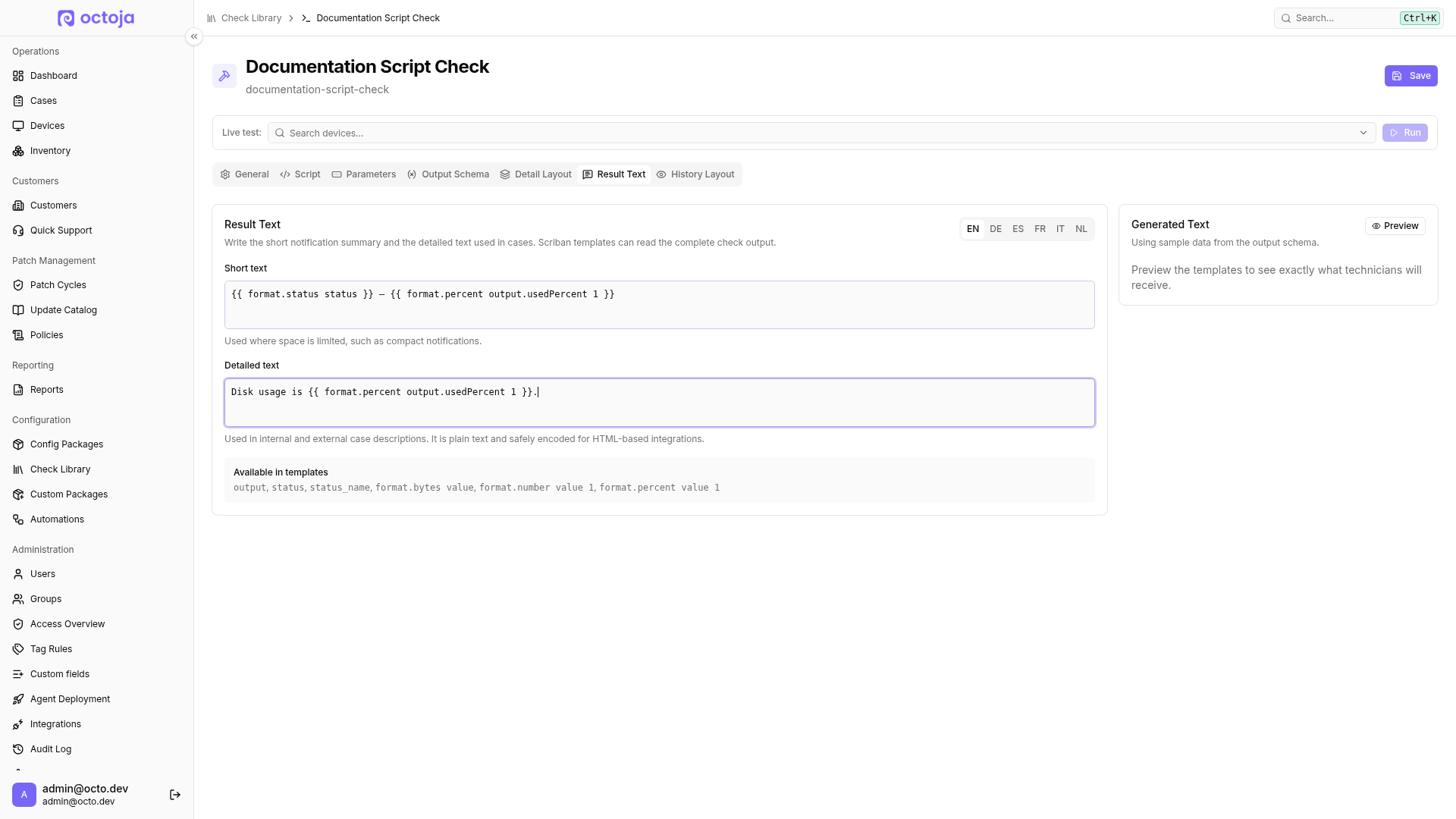
Example
If your check outputs a number named usedPercent, you can use this in either language template:
{{ format.status status }} — {{ format.percent output.usedPercent 1 }}
Status and numbers are formatted for the chosen language. usedPercent must actually exist in the result. format.percent expects a percentage value already: 85 is rendered as 85%, not 0.85.
Limits and troubleshooting
Write plain text, not HTML. Text is safely encoded for HTML-based integrations. Empty or invalid templates fall back to generic result text; they do not suppress an alert. If preview differs from your expectation, first check whether it used live-test output or schema samples and whether every referenced key exists in the result.
Built-in checks already supply their own result text. You do not need to copy them or maintain templates for this.
Maintain templates through MCP
An authorized MCP client can read templates with get_custom_check and maintain them with create_custom_check or update_custom_check. textRenderer contains language-specific Scriban templates named short and long; measurements are available under output. Changes require read and write authorization plus custom-check management permission. Inspect the generated text in the editor's preview before assigning the check.
Related articles
Was this helpful?
Still need help? Ask the team