RAID Status
Get alerted when a RAID array on Windows or Linux becomes degraded or fails, from mdadm and ZFS to Storage Spaces.
The RAID Status check monitors RAID arrays and alerts when an array is degraded or failed. A degraded RAID array means you have lost redundancy — one more disk failure could mean data loss. The check covers Linux mdadm software RAID and ZFS pools, and Windows Storage Spaces and hardware/firmware RAID; macOS is not supported. By default it runs every 60 minutes.
Prerequisites
- You need the Monitoring Check Management permission.
- The target device must have a connected agent running Windows (Storage Spaces or hardware/firmware RAID) or Linux (mdadm or ZFS). No extra software is required.
Steps
- Go to Devices and open the device.
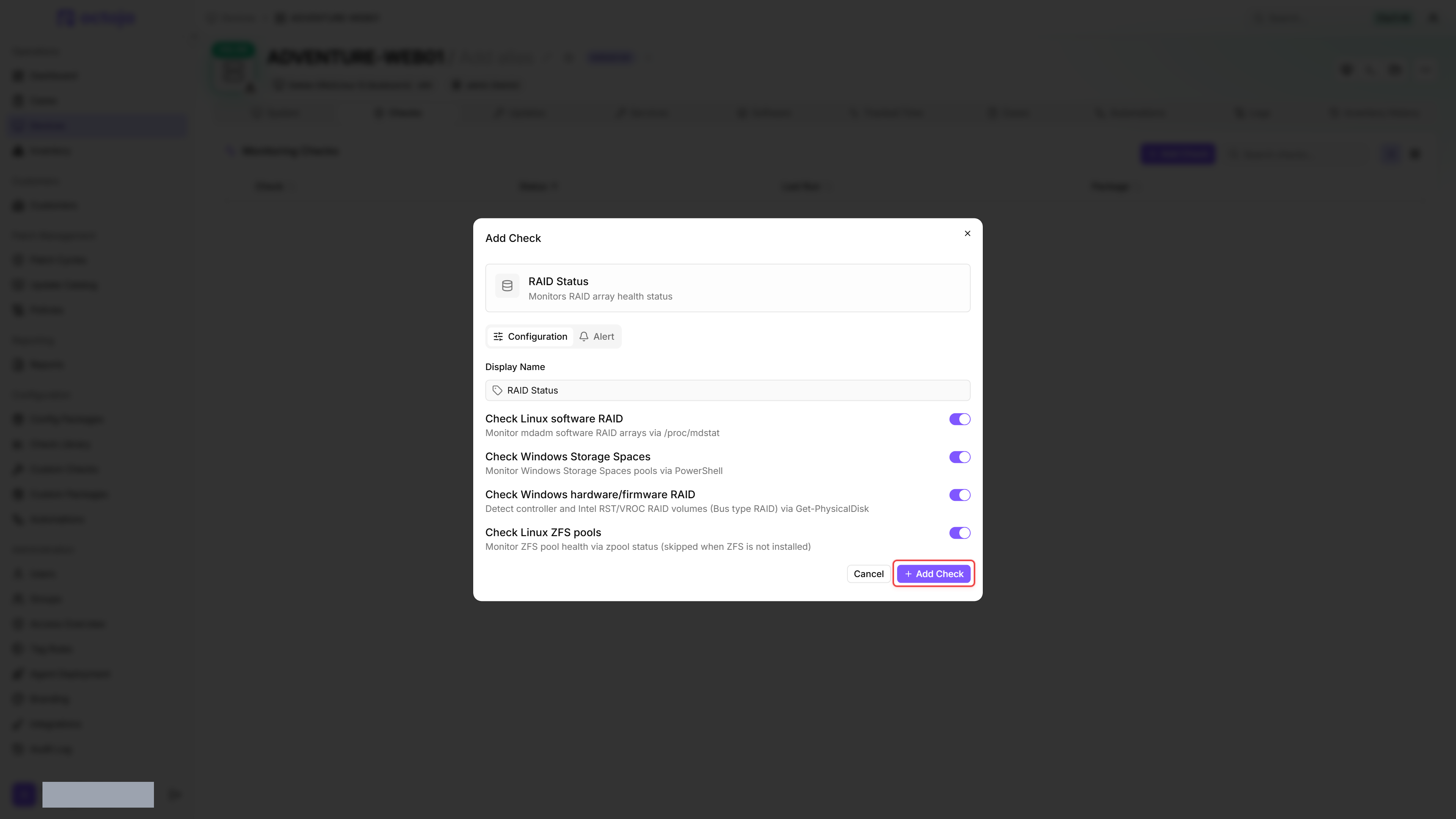
- Click the Checks tab → Add Check → RAID Status.
- The check automatically detects available RAID arrays. Choose which array types to monitor.
- Click Add Check.
After the first check interval, the result appears in the device's Checks tab.
Settings
Results
A member-level problem only escalates a ZFS pool that still reports ONLINE. Once a pool reads degraded or is resilvering, its own state drives the severity, so a member that is expectedly REMOVED during a resilver does not push a recovering pool to Critical.
Platforms and data sources
The check reads RAID state from the operating system. On Linux it reads mdadm arrays via /proc/mdstat (present when md arrays are active) and ZFS pools via zpool status (skipped when ZFS is not installed). On Windows it reads Storage Spaces via the built-in storage management interface and controller/firmware RAID volumes (including Intel RST/VROC) via Get-PhysicalDisk, where a RAID volume surfaces as a single disk with bus type RAID. Primordial (unconfigured) Storage Spaces pools are excluded, so only pools you have created are reported.
Limits of controller/firmware RAID
Controller/firmware RAID exposes only the overall volume health that the Windows storage stack reports. A member failure can remain hidden behind a volume that still reports Healthy / OK; the check then also remains at Success while the vendor's RAID management tool reports a degraded array. Degradation of these arrays is therefore not reliably detectable. Monitor these arrays with the controller vendor's management tool as well.
Member counts are not shown for controller/firmware RAID volumes because the individual disks are not exposed through the RAID volume. The SMART Disk Health check can add per-disk health only when Windows exposes those disks. Hardware controllers and some Intel RST setups hide those disks, so SMART is not a universal fallback.
Metrics collected
- Array name (per array)
- Array status (
healthy,degraded,unhealthy,unknown, orrebuilding— with the rebuild percent shown while an array is resyncing) - Array level (e.g.
raid1,raid5,Storage Spaces,ZFS,RAIDfor Windows hardware/controller volumes) - Number of active and total disks per array
- Member disks per array — name and state for every member of an mdadm array (
online,faulted,rebuilding, oravailfor a spare), of a ZFS pool (the lower-casedzpool statusdevice state, such asonline,degraded,faulted,offline, orremoved), and of a Storage Spaces pool (healthy,degraded,unhealthy,rebuilding, orunknown); ZFS pools report their members in place of an active/total disk count - Read, write, and checksum error counts per member disk (ZFS only)
- Per-array result severity
Member disks appear under their array in the check's detail panel. ZFS members are indented to reflect the pool's vdev tree, so the disks of a mirror or raidz group sit beneath it and section headings such as logs, cache, and spares stand above their devices; a member's read/write/checksum counters are shown next to it as soon as one of them is non-zero, and any note zpool status adds to a member — (resilvering), or currently in use for a spare that has been pulled in — appears beside its name. A member that mdadm has removed entirely no longer appears in /proc/mdstat, so it drops out of the list — the active/total disk count is what reveals the empty slot.
Was this helpful?
Still need help? Ask the team