Restrict access to approved IP addresses
Limit user sign-in and API access to trusted IPv4/IPv6 addresses and networks.
IP access restrictions allow users to access your instance only from specified networks, such as your office connection or VPN. The setting applies to all users, not just one group.
This list applies to connections to octoja, not outbound connections from octoja to your integrations or SMTP server. For their source-IP allowlists, see IP addresses and firewall rules.
Prerequisites
You must belong to an administrator group. Have the public outbound addresses of your approved connections ready. Behind a router or VPN, this is usually not the workstation's local address.
Set approved networks
- Open Settings → Authentication.
- Under IP access restrictions → Allowed addresses and networks, enter one IPv4 address, IPv6 address or CIDR network per line. You can save up to 256 entries.
- Include the address or network you are currently connecting from. Otherwise, octoja rejects the save to prevent an immediate lockout.
- Click Save.
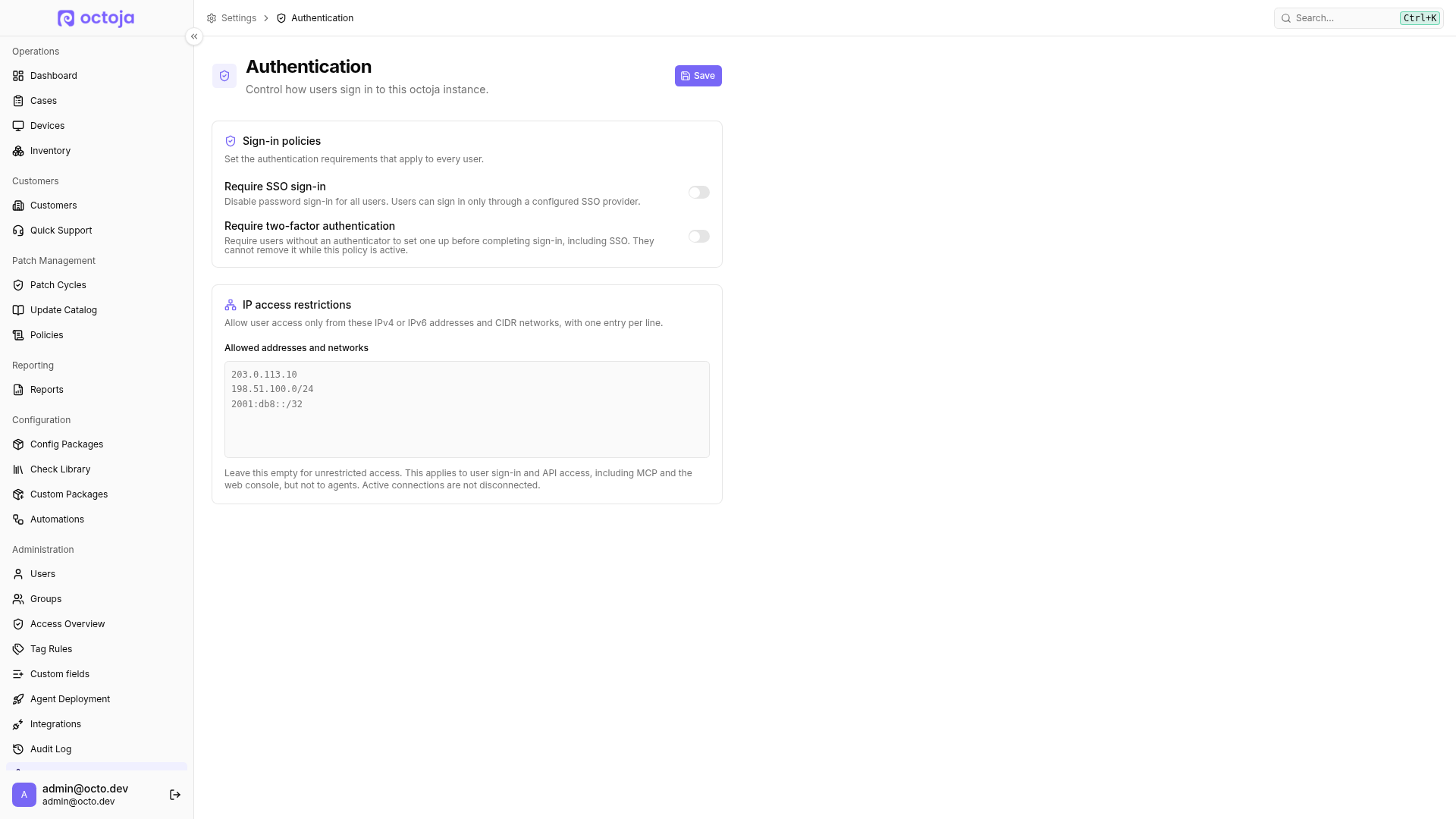
Format examples — replace these documentation addresses with your actual addresses:
203.0.113.10
198.51.100.0/24
2001:db8::/32
A single address allows only that address; a CIDR entry allows the entire specified network. Do not enter domain names. To remove IP restrictions, clear the field and save.
Include the outbound addresses of your API and MCP clients. If a connection's public IP changes, a previously approved connection may be blocked. The save-time check protects only your current connection, not every other user.
Affected access
The restriction applies to password and SSO sign-in and user access through the API, MCP and web console. Opening and accepting an invitation, including starting SSO from an invitation, also requires an approved network. A denied attempt does not consume the invitation.
Agents are exempt. Active connections are not disconnected; subsequent requests and new connections are checked. Signing out remains possible. The IP list does not replace permissions or two-factor authentication.
Access denied from this network
Connect through an approved network or VPN and try again. For API or MCP clients, check their actual public outbound address. An administrator can correct the list from a connection that is still allowed. If no such access remains available, contact octoja support.
Was this helpful?
Still need help? Ask the team