Antivirus Status
Verify vendor-neutrally on Windows devices that an antivirus is installed, has real-time protection enabled and keeps its definitions up to date.
The Antivirus Status check verifies that a recognized antivirus product is installed, that real-time protection is enabled, and that virus definitions are up to date. It runs on Windows only, every 60 minutes. On Windows client editions it reads the Windows Security Center; on Windows Server, where the Security Center is not available, it probes each supported vendor directly.
Prerequisites
- You need the Monitoring Check Management permission.
- The target device must be running Windows with a connected agent.
Steps
- Go to Devices and open the device.
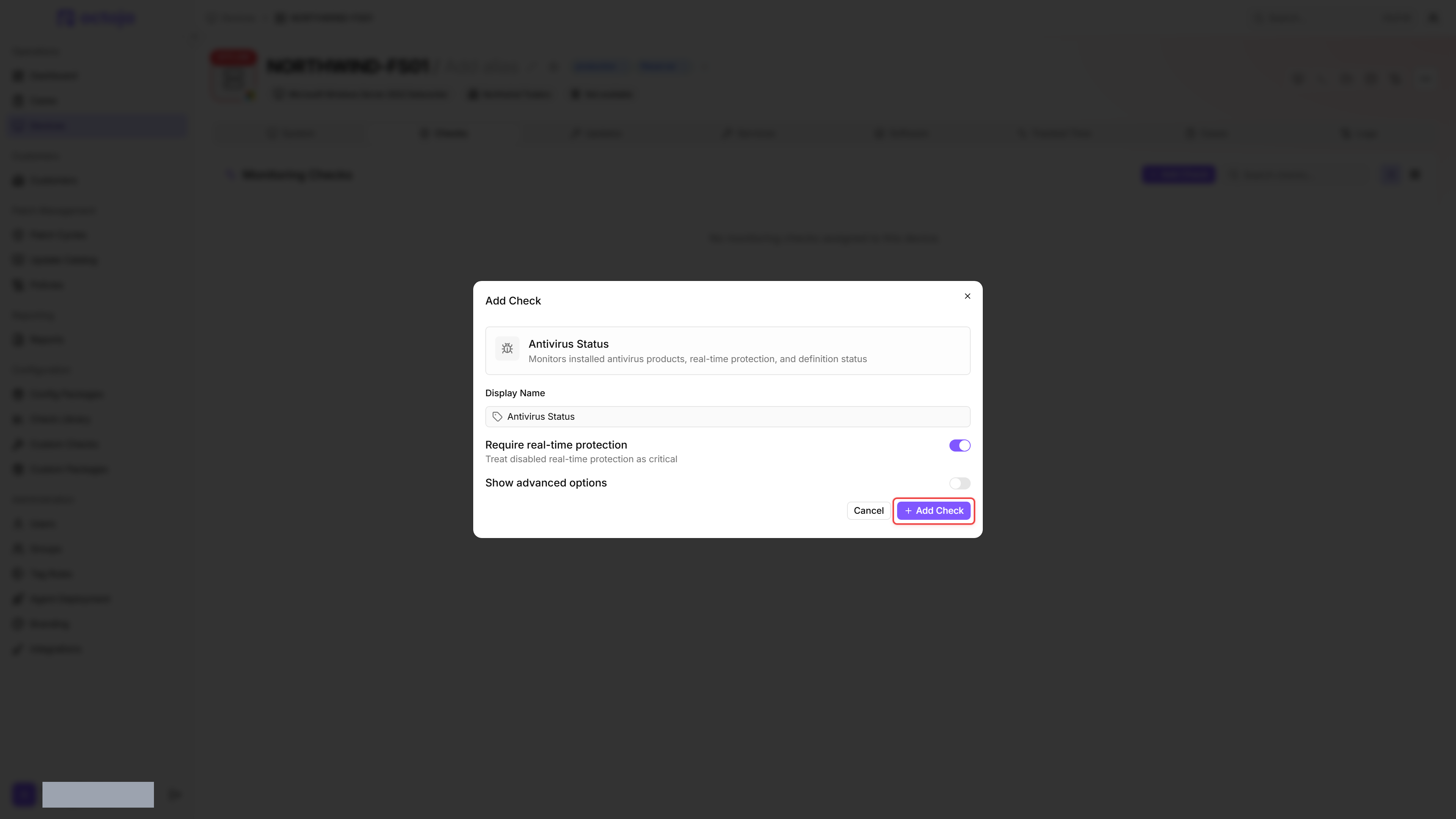
- Click the Checks tab → Add Check → Antivirus Status.
- By default only Require real-time protection is visible. Toggle Show advanced options to reveal the definition-age and scan-age thresholds.
- Adjust the thresholds if needed.
- Click Add Check.
After its first run, the result appears in the device's Checks tab.
Settings
Require real-time protection is always visible. The four threshold fields (definition age and scan age) stay hidden until you enable the Show advanced options toggle in the check configuration.
- Thresholds apply from the configured value: with the defaults, a definition age of exactly 3 days already raises a warning.
- If a warning threshold is set higher than its matching critical threshold, the check swaps the two values. The definition-age pair and the scan-age pair are corrected independently.
- Scan age is evaluated only for Microsoft Defender, because only Defender reports the age of the last quick scan.
- Most endpoints should have Require real-time protection enabled. The exception is servers running specialized workloads where real-time scanning causes performance problems — schedule regular scans instead.
Results
The check result includes:
- Antivirus product name
- Enabled state and real-time protection status
- Definition status (up to date or outdated)
- Last definition update (ISO timestamp) and definition age in days
- Quick scan age in days
- Full scan age in days
If multiple antivirus products are installed, each is evaluated separately. If at least one of them is enabled, only the enabled products determine the overall result; a disabled product stays in the list with its own status, because that one is a genuine finding. Microsoft Defender without active real-time protection is ignored as secondary protection only when another enabled product explicitly reports active real-time protection. A merely installed product or an unknown protection state is not enough. For a critical result, verify actual real-time protection rather than excluding Defender just because a third-party product is present.
If the same product is registered more than once with the Security Center — an orphaned registration left behind by an uninstall or an upgrade, for example — the entries are collapsed into one. The registration the Security Center reported most recently wins, so the product is listed and evaluated once.
If no product is detected at all, the check returns a Critical result. Within the first five minutes after a device boots, a Critical caused by missing or inactive protection is re-checked every 15 seconds — up to eight times — before it is reported, so an antivirus service that is still starting up does not raise a false alarm. Criticals based on definition age or scan age are reported immediately.
Supported antivirus products
The following eight vendors are first-class: they are recognised by vendor-specific probes and are the only vendors found by direct detection on Windows Server. Microsoft Defender reports an exact definition-update timestamp plus quick- and full-scan ages. Sophos and VIPRE also report an exact definition-update timestamp; the remaining vendors primarily contribute protection state rather than definition or scan data.
- Microsoft Defender
- Bitdefender Endpoint Security Tools (GravityZone)
- WatchGuard EPDR (also recognized under the legacy product name Panda Adaptive Defense)
- Sophos
- ESET
- SentinelOne
- CrowdStrike Falcon
- VIPRE Business Agent
These vendors are detected directly even without Security Center registration. On Windows Server this is the primary detection path; on client editions it is a safety net. On Windows client editions the product name shown is the one the installed product registers with the Security Center, so it can differ slightly from the names above (for example "Sophos Endpoint Protection").
Any other product that registers with the Windows Security Center (WMI SecurityCenter2 namespace) is detected baseline-only — enabled state and real-time protection are reported, but vendor-specific metrics are not collected, and the product is not detected on Windows Server. No exact definition age is available for these products. If the Security Center reports their definitions as outdated, the check raises a Warning regardless of the definition age threshold fields — the thresholds only apply to products with an exact definition timestamp.
If the check shows "No antivirus products detected.", the device either has no antivirus installed or the product does not register with the Windows Security Center. In that case, verify that the product's WMI provider is enabled; some enterprise products need this.
Was this helpful?
Still need help? Ask the team