Generex UPS
Monitor UPS units with a Generex SNMP adapter through the RFC1628 UPS-MIB, including battery, runtime, phases and alarms.
The Generex UPS check reads the RFC1628 UPS-MIB from a Generex SNMP adapter. Use it to monitor battery charge, estimated remaining runtime, input and output phases, and active alarms. The default interval is 5 minutes.
Prerequisites
- The adapter provides the RFC1628 UPS-MIB and permits SNMP queries from the device running the check.
- That agent device can reach the adapter over UDP, using port 161 by default.
- You know the adapter's SNMP v2c community or SNMPv3 credentials.
- You can assign checks to the executing device; see Assign checks with config packages.
Steps
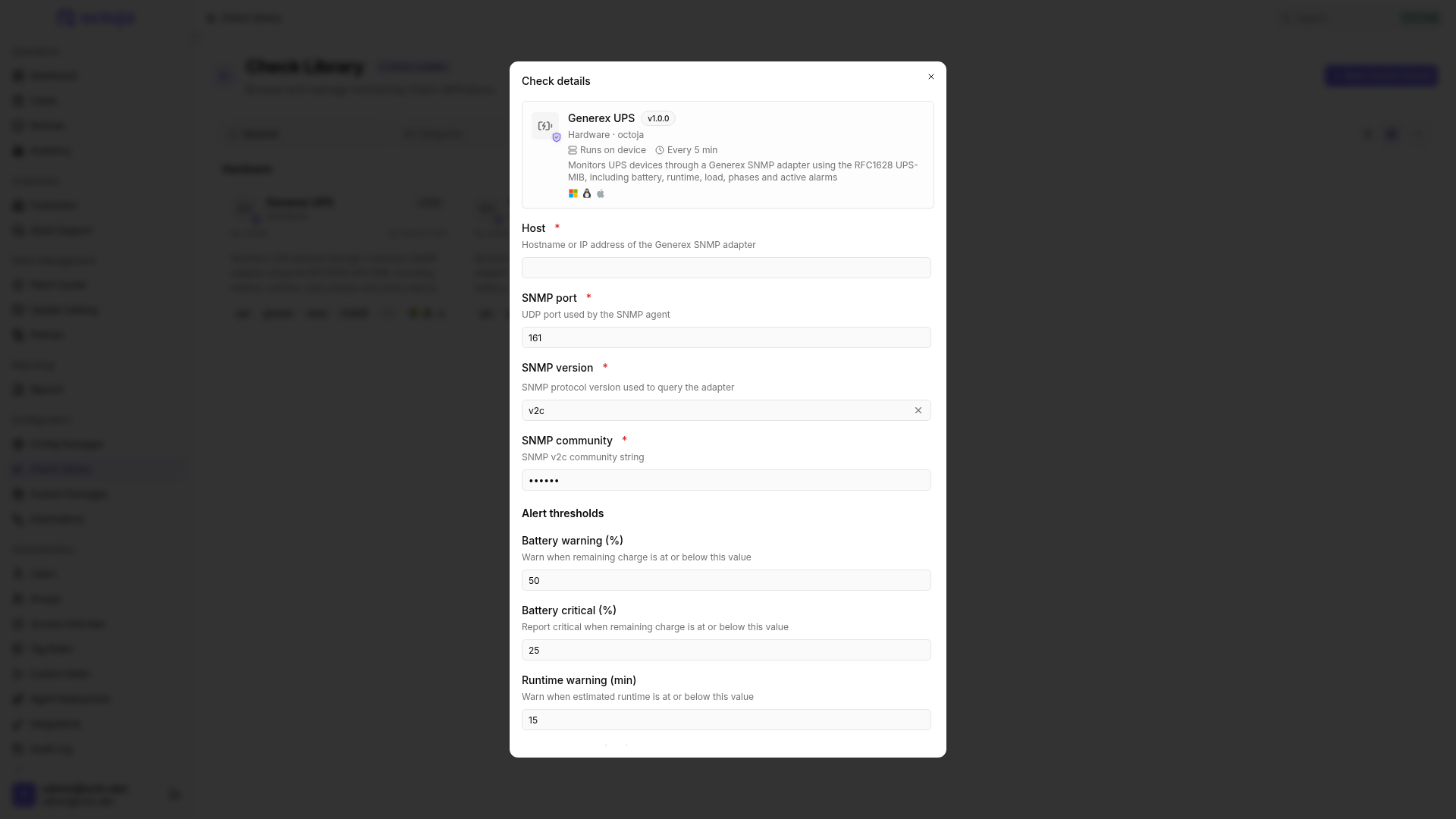
- Add Generex UPS to the check configuration of the executing agent device.
- Enter the adapter's hostname or IP address in Host and check the SNMP port.
- Choose the matching SNMP version. For v2c, enter the SNMP community. The default
publicmust match the adapter configuration. - For v3, enter the SNMPv3 user. If required, select an Authentication protocol (SHA-1 or SHA-256) and enter the Authentication password. With authentication enabled, you can also select AES-128, AES-192 or AES-256 as the Privacy protocol and enter the Privacy password. The protocols must match the adapter.
- Adjust Alert thresholds to suit the UPS and connected load, then save.
- After a run, open the check result. Check which measurements the adapter actually supplies, not just the overall status.
Settings
Alert thresholds
All thresholds are integers. Battery and load percentages must be between 0 and 100.
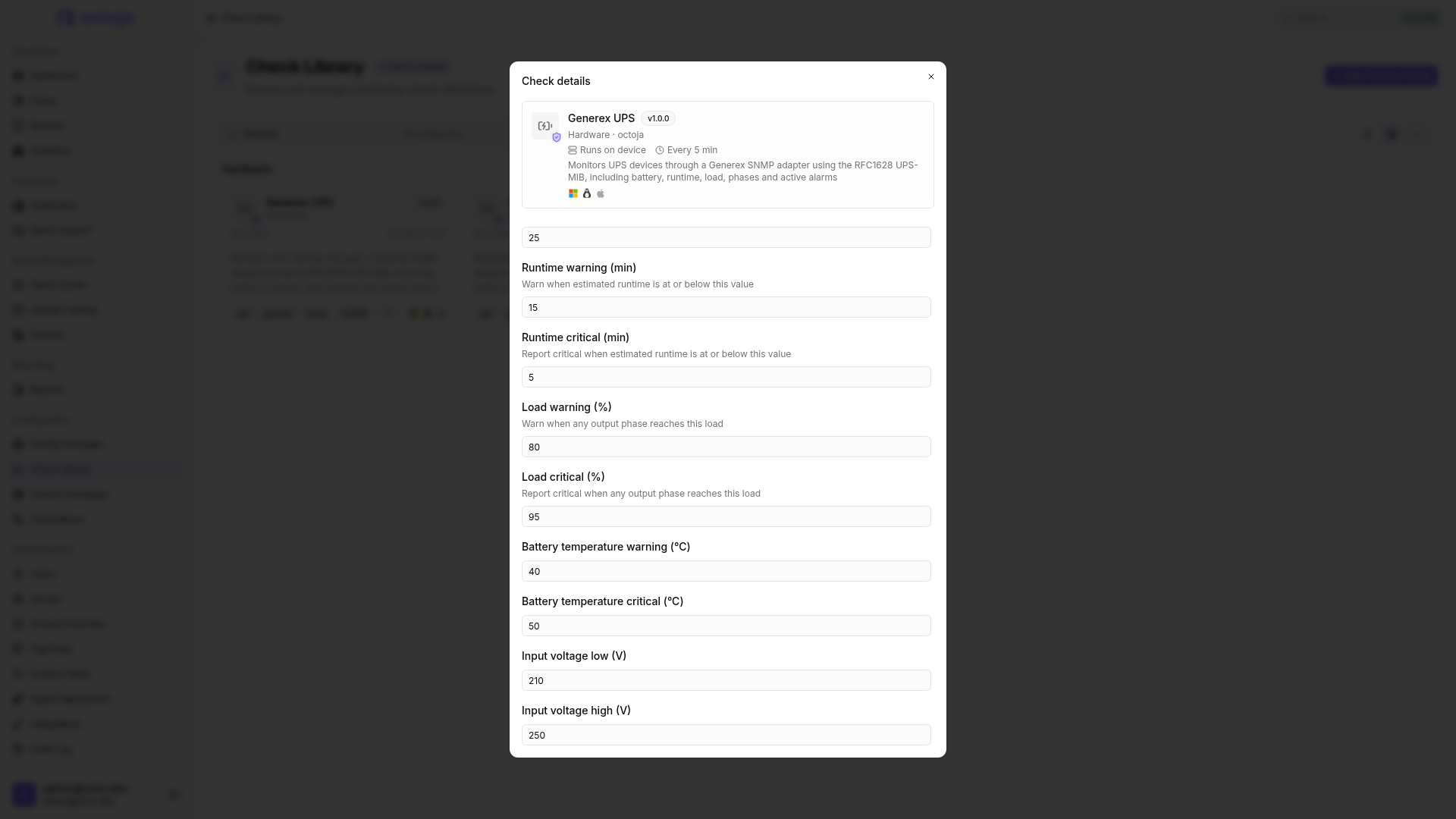
If thresholds are reversed, the check orders each pair by meaning: the lower value is critical for battery and runtime, while the higher value is critical for load and temperature. Voltage values are sorted into lower and upper limits.
Results
The most severe finding determines the overall status. Besides your thresholds, the check considers the reported battery condition, power source and adapter alarms. Battery operation or bypass produces a warning, for example; a depleted battery or disabled UPS output produces a critical result. Unknown active alarms produce a warning.
Individual missing sensor values are skipped. Even OK may therefore be based on incomplete measurements. If the adapter returns no usable UPS telemetry at all, the check reports an error.
The detail view shows available battery and runtime values, power source, alarms and phase measurements. Issues lists the findings responsible for the status.
Troubleshooting
Was this helpful?
Still need help? Ask the team