Ceph Cluster Health
Detect loss of quorum, missing monitors, an unavailable manager and placement group problems in your Ceph cluster.
The Ceph Cluster Health check detects missing monitors, loss of quorum, an unavailable manager and placement group problems, and also evaluates Ceph health codes. It runs on Linux hosts in the cluster, every 10 minutes by default.
Prerequisites
- The octoja agent runs directly on a Linux host in the cluster (x64 or ARM64).
cephis executable. The agent can read/etc/pve/ceph.confor/etc/ceph/ceph.confand an admin keyring at/etc/pve/priv/ceph.client.admin.keyringor/etc/ceph/ceph.client.admin.keyring.- You can assign checks to the device. Configuration packages require Monitoring Check Management.
Steps
- Add Ceph Cluster Health under Checks on the host. Use a configuration package for multiple hosts.
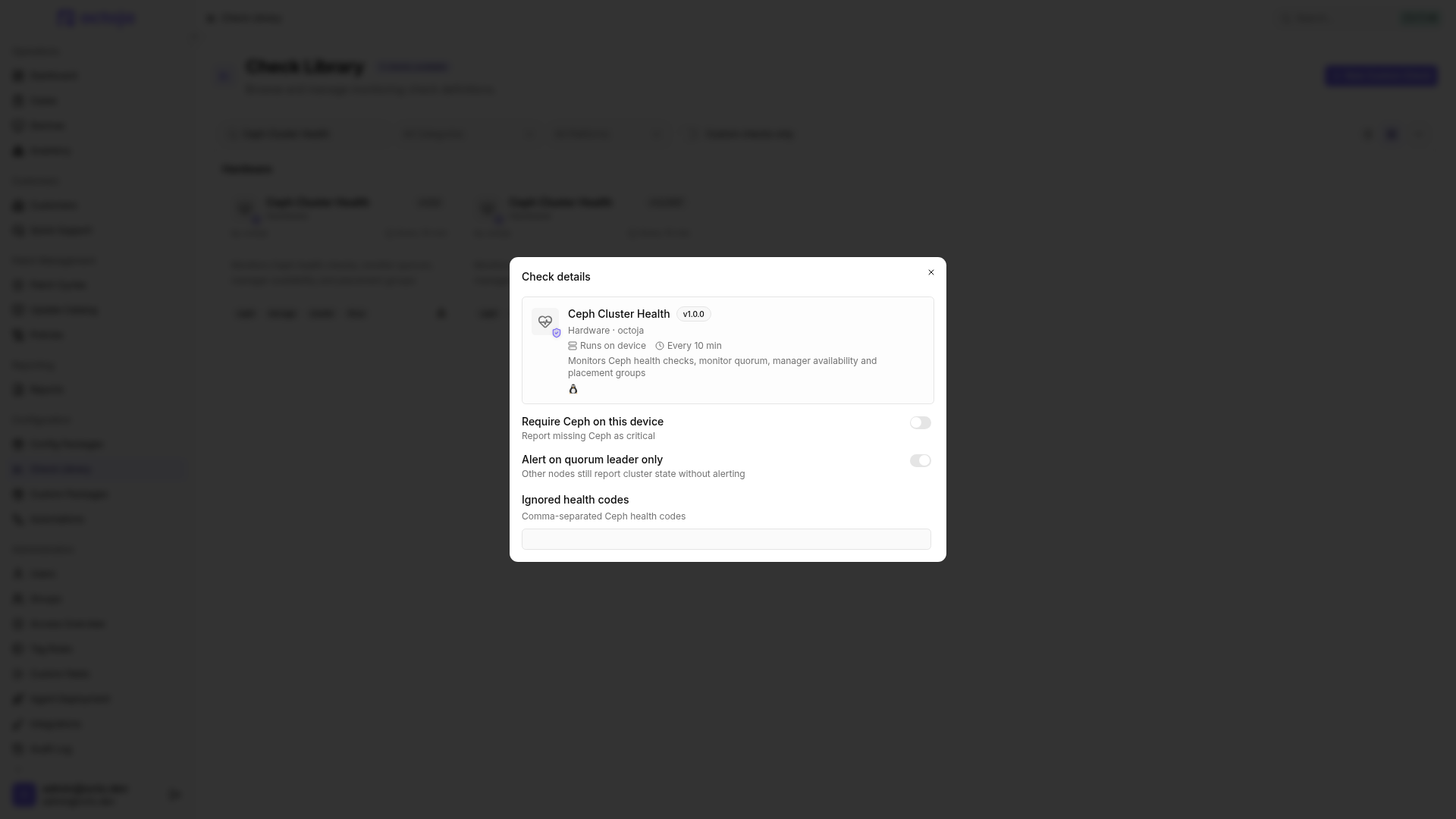
- Enable Require Ceph on this device if the host must provide Ceph.
- When monitoring multiple nodes, leave Alert on quorum leader only enabled. Assign the check to the leader as well; an OK result on another node does not replace its result.
- Under Ignored health codes, enter only deliberately excluded Ceph codes, separated by commas. Spelling is case-sensitive, for example
MON_DISK_LOW. - Save and open the result after the first run. Check MON quorum, Manager, Placement groups and the open health checks.
Settings
Ignored health codes suppress those specific Ceph messages. The additional quorum, manager and placement group checks remain active. Use exclusions only when you assess the excluded message separately.
Results
If Ceph is missing, the default result is OK without evaluating the cluster. If Ceph is configured but a required query fails, the check reports Critical – even with leader selection enabled. Check cluster connectivity and read permissions for the configuration and keyring.
To receive notifications about problems, configure alerting.
Was this helpful?
Still need help? Ask the team