APC UPS
Monitor battery, runtime, load, voltage and self-tests of your APC UPS units over SNMP and plan battery replacements in time.
The APC UPS check monitors APC uninterruptible power supplies via SNMP. It collects battery charge, estimated runtime, output load, voltage, and self-test results — so you are informed about power issues before they cause an unclean shutdown. The check runs on an agent device on Windows, Linux, or macOS (each in x64 and Arm64 builds) and queries the UPS over the network, every 5 minutes by default.
Prerequisites
- You need the Monitoring Check Management permission.
- The target device must have a connected agent with network access to the UPS.
- The UPS needs a network management card with SNMP enabled, such as Smart-UPS or Symmetra; the check uses standard APC SNMP OIDs. It supports both SNMP v2c (community string) and SNMP v3 (user-based security). Pick the version your UPS is configured for.
Steps
You can assign the check to a network device as well as to an agent device.
- Go to Devices and open the device that has network access to the UPS.
- Click the Checks tab → Add Check → APC UPS.
- Enter the hostname or IP address of the UPS under Host.
- Choose the SNMP version:
- For v2c, enter the SNMP Community.
- For v3, enter the SNMPv3 user and choose an Authentication protocol with its Authentication password. If you also need encryption, set a Privacy protocol and Privacy password.
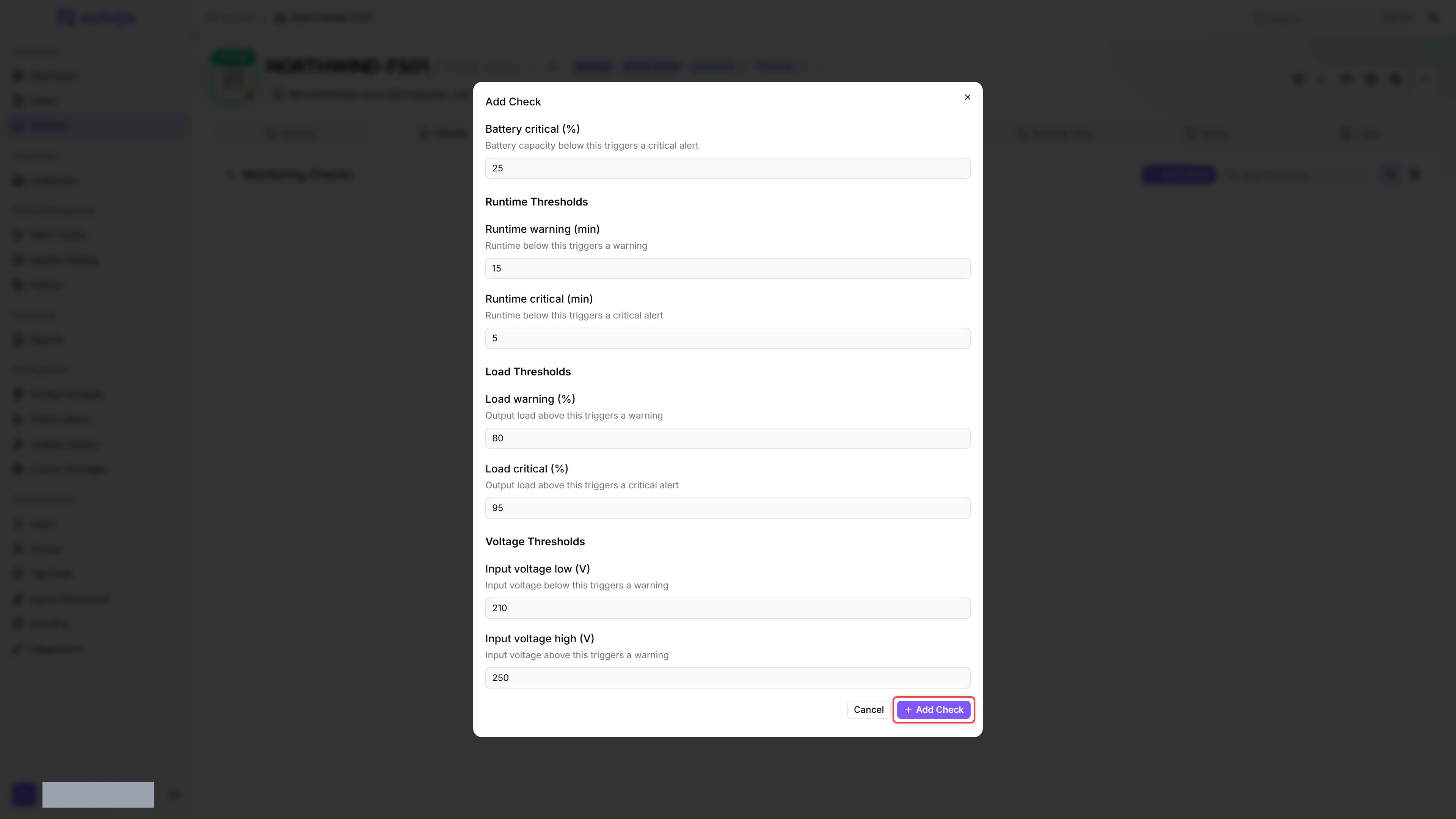
- Adjust the thresholds under Battery Thresholds, Runtime Thresholds, Load Thresholds, Voltage Thresholds, and Temperature Thresholds.
- Click Add Check.
After the first check interval, the result appears in the device's Checks tab.
Settings
Battery Thresholds
Runtime Thresholds
Load Thresholds
Voltage Thresholds
Temperature Thresholds
Temperature boundaries are inclusive: the defaults report Warning at 40 °C and Critical at 50 °C. Missing, zero or negative readings do not raise a temperature alert and are not evidence that the battery is cool. Reversed warning and critical limits are corrected before evaluation.
Adjust the voltage thresholds to match your local power grid standard (e.g. 230 V ± 10 % in Europe, 120 V ± 10 % in North America). Set the load thresholds based on your UPS capacity: an 80 % load warning gives you time to redistribute the load before the UPS is overloaded.
Results
The overall result is the worst severity among the conditions that apply, and the check lists each one it found. When communication with the UPS is lost, the check reports that on its own and evaluates nothing else.
Whenever the check finds a problem, an Issues list appears at the top of the detail view, with each entry badged Warning or Critical. When the UPS reports that its battery needs replacement, the list shows "The battery must be replaced." as a Critical entry. Before that point, the check watches the battery cartridge itself and raises the Warning "Battery nearing end of life. Order a replacement cartridge.", so you can order a spare and plan the swap before the next outage.
Collected metrics
- Model
- Firmware version
- UPS status (online, on battery, etc.)
- Battery charge (%)
- Estimated runtime (minutes)
- Output load (%)
- Input voltage (V)
- Output voltage (V)
- Input frequency (Hz)
- Output frequency (Hz)
- Output current (A)
- Battery temperature (°C)
- Last self-test result and date
- Last transfer reason
- Battery needs replacement (true/false)
- Battery cartridge nearing end of life (true/false)
- Communication OK (true/false)
Tips
- Run this check from a device in the same network segment as the UPS. The check connects via SNMP, not through the normal agent connection to the platform.
- If you have multiple UPS units, create a separate check for each one (different host addresses).
FAQ
What should I check when PowerChute reports Unknown or loses communication?
What should I check when PowerChute reports Unknown or loses communication?
Verify the UPS connection and use a vendor-supported PowerChute Serial Shutdown version compatible with your UPS. On the PowerChute host, check which service owns UDP 161: another SNMP service can block the port. Resolve conflicts with the responsible administrator without disabling other monitoring indiscriminately. A UPS with its own SNMP network card does not need PowerChute.
Unknown alone does not establish a hardware fault. Compare the available SNMP readings before replacing hardware or lowering alert thresholds.
Was this helpful?
Still need help? Ask the team