Ceph Storage & Performance
Monitor raw usage, pools, OSD health, OSD utilization and commit latency of your Ceph cluster.
The Ceph Storage & Performance check monitors cluster raw usage, pools, OSD health, OSD utilization and commit latency. It runs on Linux hosts in the cluster, every 15 minutes by default. The check reads the state; it does not change Ceph settings.
Prerequisites
- The octoja agent runs directly on a Linux host in the cluster (x64 or ARM64).
- The agent can execute
cephand read the local Ceph configuration and admin keyring. Supported configuration paths are/etc/pve/ceph.confand/etc/ceph/ceph.conf; the keyring is at/etc/pve/priv/ceph.client.admin.keyringor/etc/ceph/ceph.client.admin.keyring. - You can assign checks to the device. Configuration packages require Monitoring Check Management.
Steps
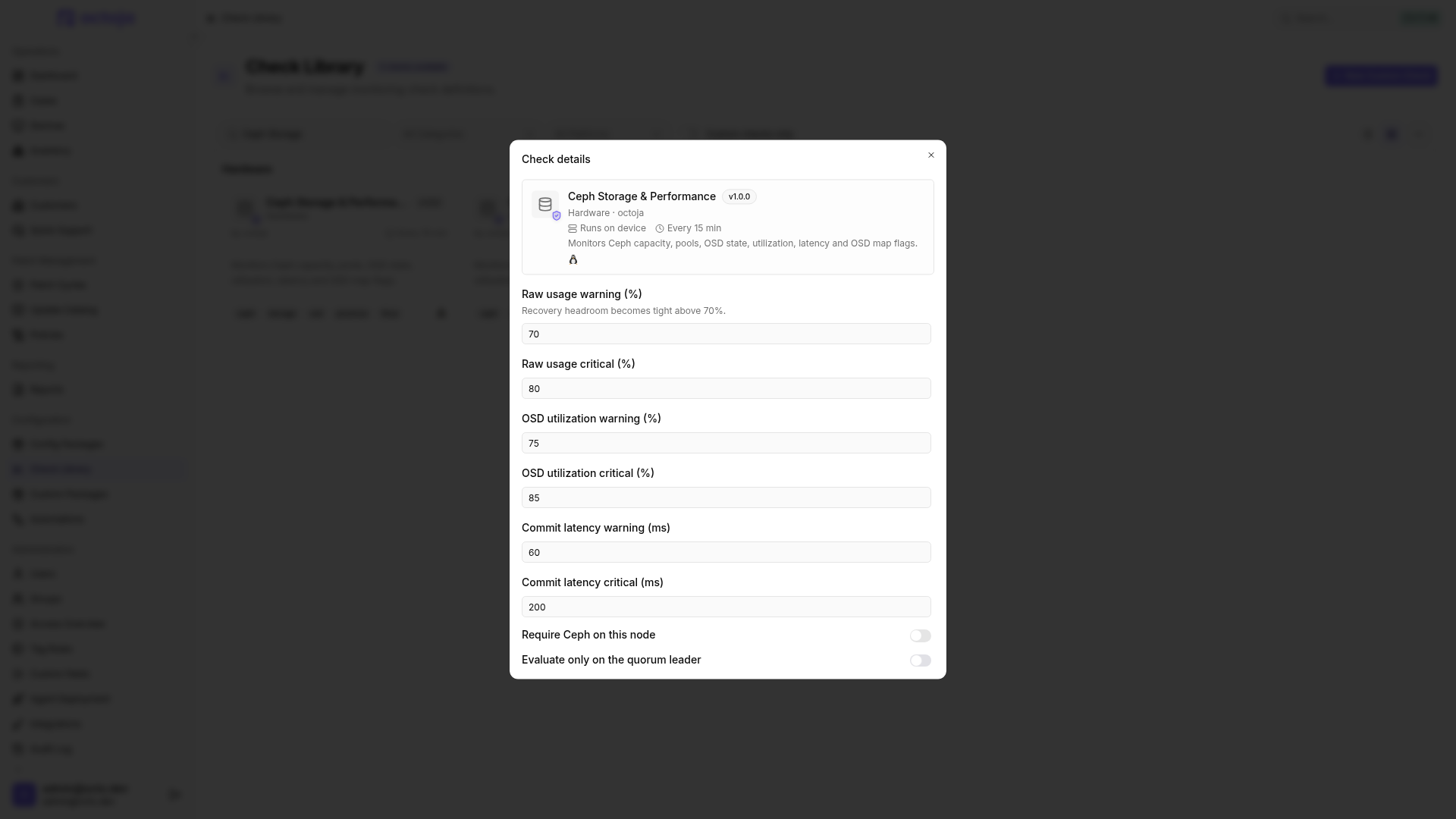
- Open the host and add Ceph Storage & Performance under Checks. Use a configuration package for multiple hosts.
- Adjust thresholds to the cluster's capacity and performance requirements.
- Enable Require Ceph on this node if a missing Ceph installation or configuration should be critical.
- Leave Evaluate only on the quorum leader enabled when monitoring the same cluster on multiple hosts. Make sure the check is also assigned to the quorum leader.
- Save. After the first run, open the result and check raw usage, OSD count and latency. Configure alerting if needed.
Settings
Reaching a threshold produces Warning or Critical respectively. The values are optional. If a warning value is higher than its critical value, the check swaps the two.
Results
- An OSD in state
downis critical; an OSD in stateoutproduces at least a warning. - An overfilled pool alone raises the overall result only to Warning, even if the pool itself is listed as critical. Raw usage, OSD utilization and latency can make the overall result Critical.
- The flags
noscrub,nodeep-scrub,noout,norecoverandnobackfillproduce at least a warning. - The detail view shows up to 16 problem OSDs, with the most severe issues first. The overall result also accounts for other OSDs.
- Missing Ceph remains OK unless Require Ceph on this node is enabled. This does not confirm a healthy cluster.
- A configured but unreachable cluster is critical; incomplete queries produce an error. Check connectivity, read permissions for the configuration and keyring, and whether
cephcan be executed.
Leader selection does not suppress query errors. If the leader cannot be identified, the local check is evaluated normally. An OK result on another node therefore does not replace the leader's result.
Was this helpful?
Still need help? Ask the team