Crash Detection
Detect blue screens on Windows and kernel panics on Linux and get alerted when crashes pile up.
The Crash Detection check looks for traces of system crashes — blue screens (BSOD) on Windows and kernel panics on Linux — and alerts when the count reaches or exceeds a threshold. It surfaces stability issues that might otherwise go unnoticed, especially on unattended servers. The check runs on Windows and Linux every 60 minutes by default; macOS is not supported.
Prerequisites
- You need the Monitoring Check Management permission.
- The target device must have a connected agent running Windows or Linux.
- On Windows, crash dumps are enabled by default. No extra setup is needed.
Steps
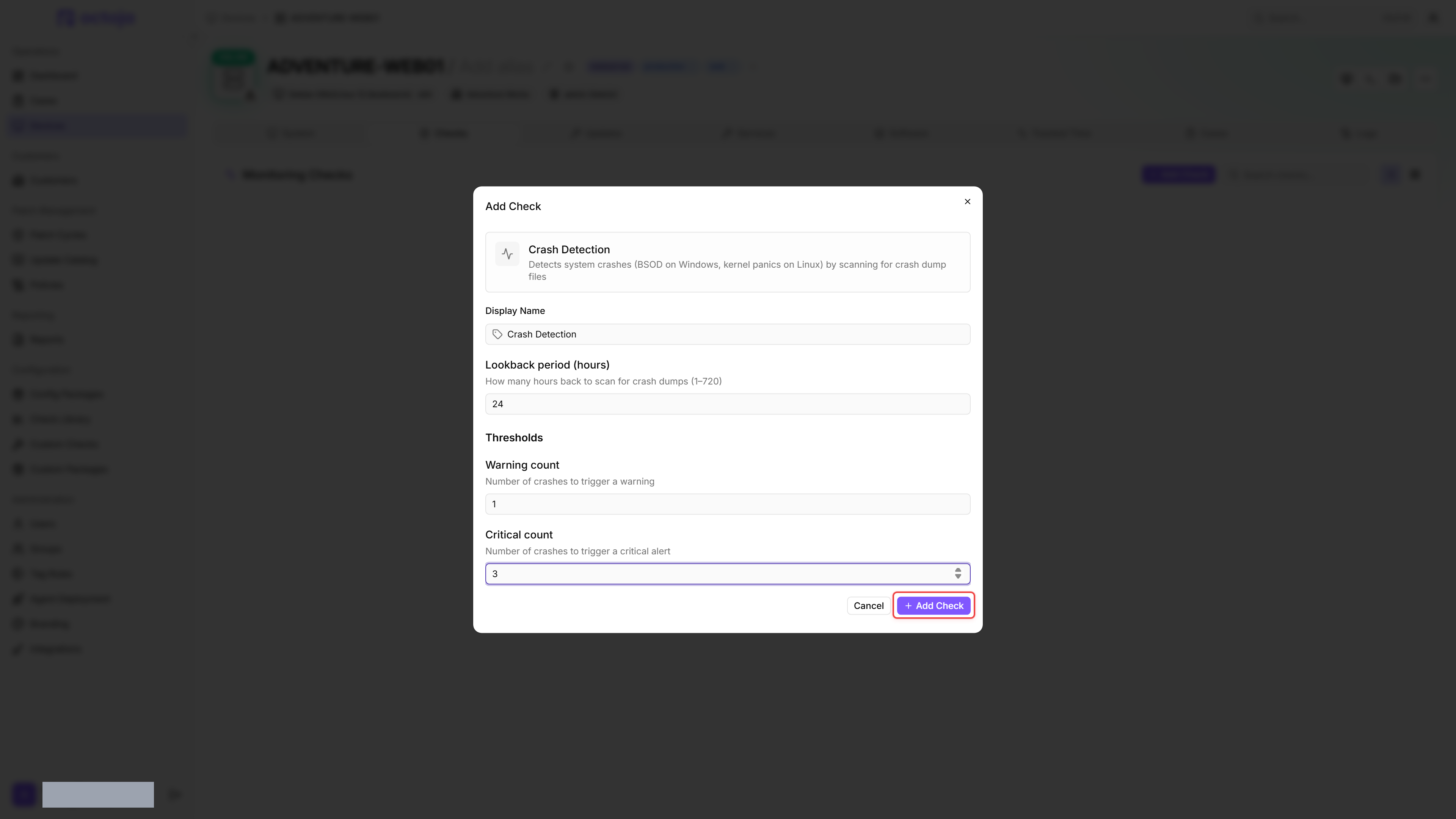
- Go to Devices and open the device.
- Click the Checks tab → Add Check → Crash Detection.
- Adjust Lookback period (hours), Warning count and Critical count if needed.
- Click Add Check.
After the first check interval, the result appears in the device's Checks tab.
Settings
If Warning count is set higher than Critical count, the check silently swaps the two values so that the critical threshold is always greater than or equal to the warning threshold.
The lookback period should match or exceed the check interval to avoid missing crashes between executions. The interval comes from the check definition rather than the editor; the default is 60 minutes.
Results
With the default warning count of 1, a single crash inside the lookback period is already a warning.
The check reports the number of detected crashes within the lookback period and, for each crash, the file name, timestamp, bug-check code (Windows WER events only), and a human-readable description.
Detection methods
- Each detected trace counts individually: every dump file and every Windows Error Reporting event within the lookback period is counted as one crash. A single crash that leaves both a minidump and a WER event can therefore be counted more than once — choose thresholds with that in mind.
- On Windows, minidump generation is enabled by default under System Properties → Startup and Recovery. If minidumps are disabled (rare), the check still detects crashes via the Windows Error Reporting event log (Event ID 1001), which does not depend on minidump generation — only the dump file for later analysis is missing.
- The two Windows sources are independent: if one of them cannot be read — for example when the event log is not accessible — the check reports what the other one found instead of failing.
- At most 50 Windows Error Reporting events are read per run, so that source alone never pushes the crash count above 50, however many events fall inside the lookback period.
- On Linux,
/var/crashand/var/lib/systemd/coredump/also hold crash reports and core dumps of ordinary programs. Each of these files counts as a crash too, not only kernel panics. Kernel log entries are read for the current boot only.
Tips
- A single crash on a server warrants investigation — set the warning threshold to 1.
- On workstations, occasional BSODs caused by driver issues are less urgent — a warning at 1 and critical at 3 gives you visibility without excessive noise.
Was this helpful?
Still need help? Ask the team