HTTP Content Check
Monitor whether your web endpoints return the expected status code and content fast enough, and catch error or maintenance pages.
The HTTP Content Check monitors web endpoints for expected status codes, response content, and response time. This goes beyond simple availability monitoring: it catches scenarios where a website loads but displays an error page, maintenance page, or stale data. It runs on Windows, Linux, and macOS every 10 minutes. The interval belongs to the check itself rather than to an individual assignment; the Check Library lists it in the Interval column.
Prerequisites
- You need the Monitoring Check Management permission.
- The target device must have a connected agent with network access to the endpoint.
The check runs on the device it is assigned to — the Check Library shows this as Runs on device. Requests leave from that device, so every URL in the list has to be reachable from there, which is what lets you watch an internal endpoint that is not published to the internet.
Steps
- Go to Devices and open the device.
- Click the Checks tab → Add Check → HTTP Content Check.
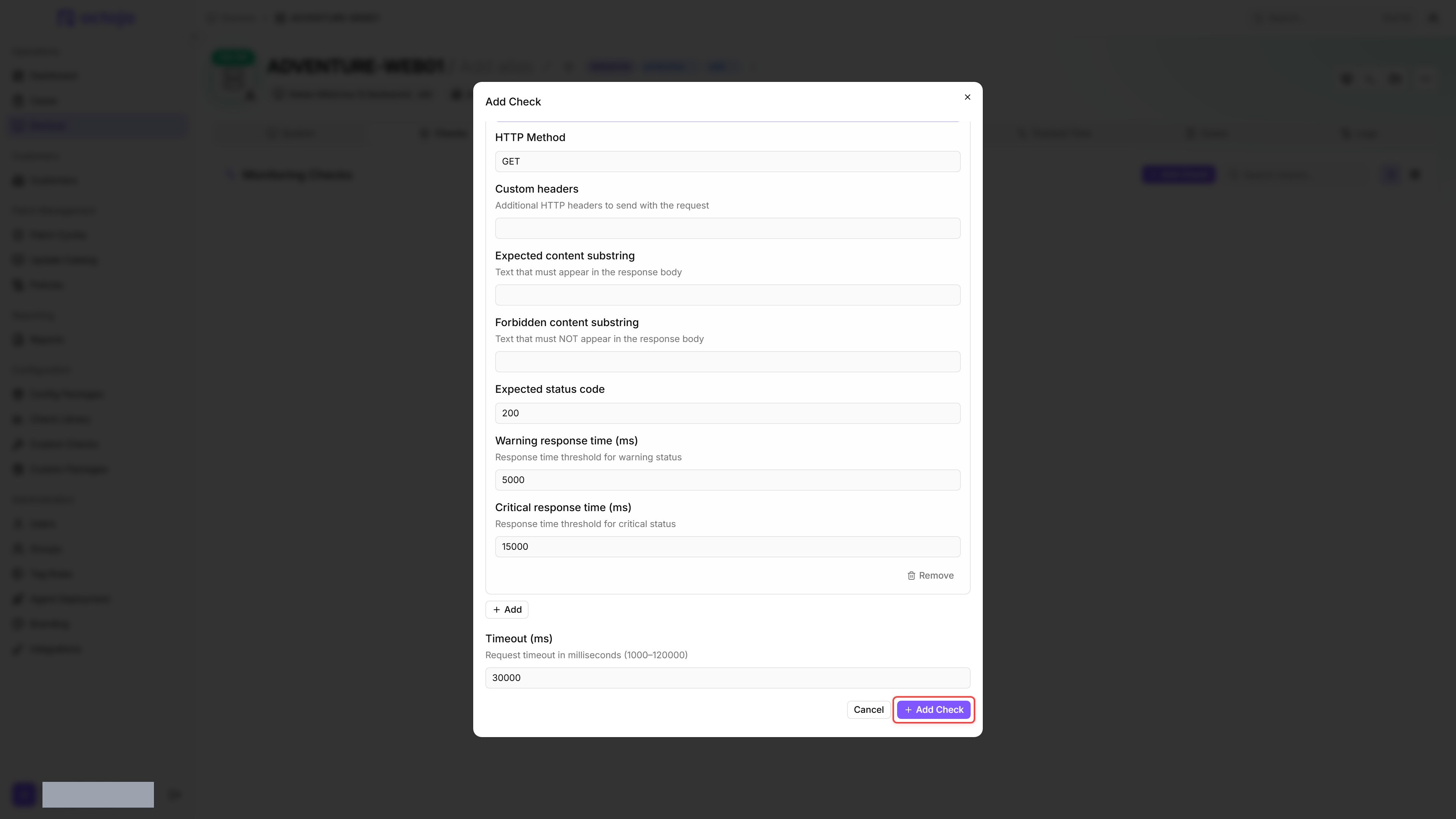
- Add one or more endpoints under Endpoints to monitor, for example
https://app.example.com/health, and set the expected status code and content for each one. - Optional: Configure custom headers, and — for
POSTrequests — a request body for API endpoints. - Click Add Check.
The first result appears in the device's Checks tab shortly after you add the check.
Settings
- Content matching is case-sensitive. Use exact strings that appear in the response body.
- If both expected and forbidden content are configured, the check succeeds only when the expected text is present AND the forbidden text is absent.
- For endpoints that require authentication, include the credentials in the custom headers (e.g.
Authorization: Bearer <token>). - Redirects are followed automatically (up to 5), so the expected status code is compared against the final response after redirects.
Results
A status-code mismatch, missing expected content, present forbidden content, or any request error each produce a Critical result. Only a response time between the warning and critical thresholds produces a Warning.
Endpoints are requested in parallel, and the timeout applies to each request on its own. The check reports the worst result among its endpoints, so a single failing URL turns the whole check Critical. A check whose endpoint list is empty returns a Warning, and the detail view shows "No endpoints monitored."
Every metric is recorded per endpoint, so a check covering several URLs shows one block per URL.
- HTTP status code
- Response time (ms)
- Response size (bytes)
- Content match (found / not found)
- Forbidden content (none detected / detected)
Content match is recorded only when Expected content substring is filled in, and Forbidden content only when Forbidden content substring is filled in. Either one reads N/A while its field is empty.
Tips
- Use this check for health endpoints that return JSON — check for
"status":"ok"or similar known content. - The Forbidden content substring field catches error pages. Set it to e.g.
"error"or"maintenance"to detect when a website shows an error page but still returns HTTP 200. - This check does not verify SSL certificates. For SSL certificate expiration monitoring and simple availability monitoring without content checking, use the simpler SSL / HTTP check instead.
Was this helpful?
Still need help? Ask the team