Ceph Node Daemons
Monitor the local Ceph daemons and MON storage size on each host in your cluster.
The Ceph Node Daemons check monitors the local Ceph services and MON storage size of a Linux host, every 10 minutes by default. It does not query the cluster. Assign it to every host whose local services you want to monitor.
Prerequisites
- The octoja agent runs directly on the Linux host (x64 or ARM64).
- The agent can execute
systemctl, read the local Ceph configuration at/etc/pve/ceph.confor/etc/ceph/ceph.conf, and access monitor data under/var/lib/ceph/mon. This check does not require an admin keyring. - You can assign checks to the device. Configuration packages require Monitoring Check Management.
Steps
- Add Ceph Node Daemons under Checks on the host. Use a configuration package for multiple hosts.
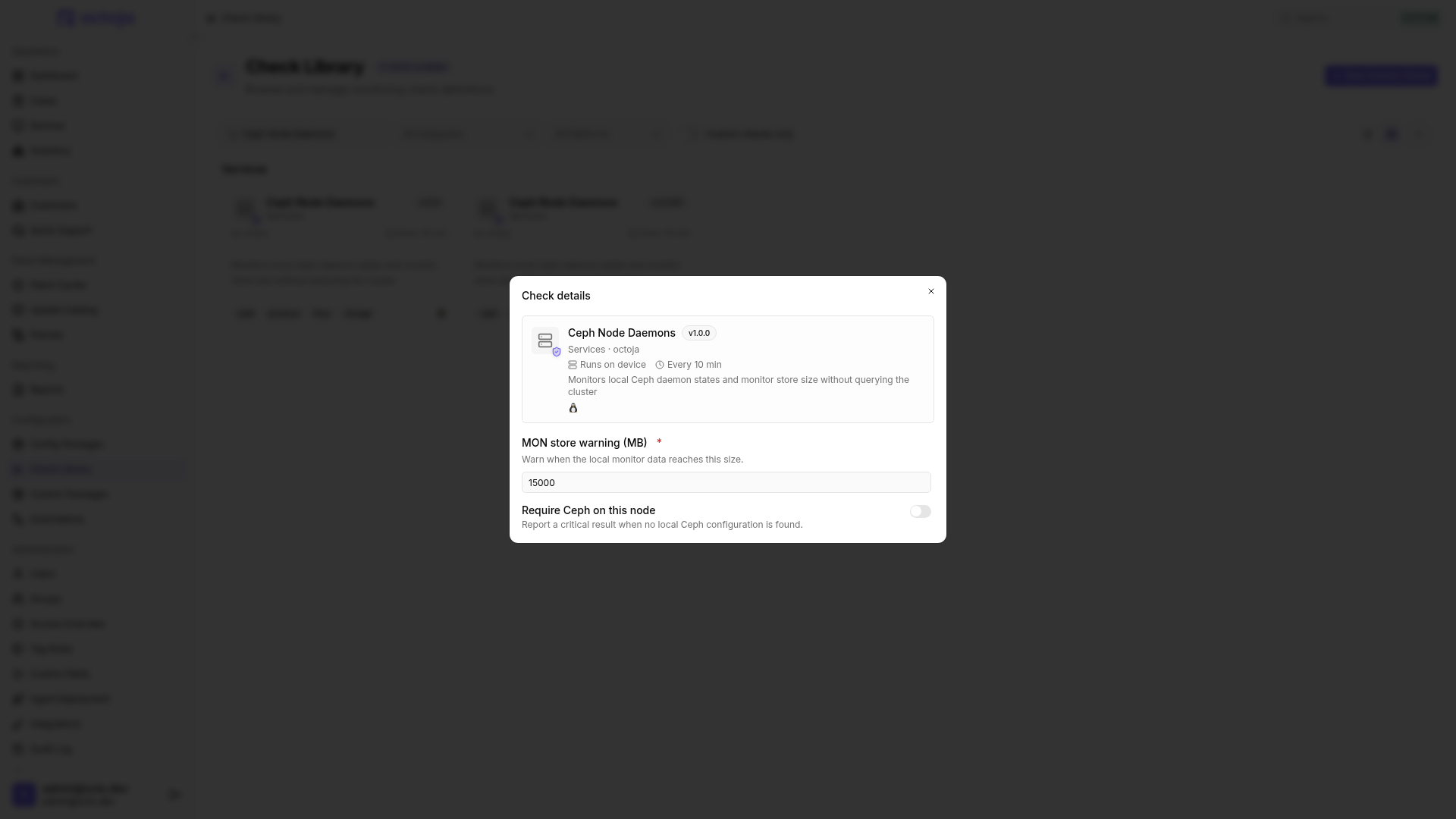
- Set MON store warning (MB) to the size at which you want a warning.
- Enable Require Ceph on this node if a missing local Ceph configuration should be critical.
- Save.
- After the first run, open the result. Check active, failed and inactive daemon counts, local OSDs and MON storage. Configure alerting if needed.
Settings
Results
The check includes services for ceph-osd, ceph-mon, ceph-mgr, ceph-mds, ceph-rgw and ceph-crash.
For service problems, inspect the named service on the host. If MON storage appears unexpectedly small, first check that the agent can read files and subdirectories under /var/lib/ceph/mon: unreadable files are not included in the size calculation. The check does not restart services or clean up monitor data.
Was this helpful?
Still need help? Ask the team