SSL / HTTP
Monitor whether your websites answer with the expected status code and when their SSL/TLS certificates expire.
The SSL / HTTP check monitors whether a website or web service is reachable and whether its security certificate is still valid. It sends a request to each URL, checks the HTTP status code returned (usually "200 OK"), and checks how many days are left before the site's SSL/TLS certificate expires. In the Check Library it sits under Security. The check runs on Windows, Linux, and macOS (each in x64 and Arm64 builds) every 60 minutes. The interval belongs to the check itself rather than to an individual assignment; the Check Library lists it in the Interval column as Every 60 min.
Prerequisites
- You need the full URL of the site or service you want to monitor, including
https://(for example,https://portal.example.com). - A device running the octoja agent that can reach every URL. The check runs on the device it is assigned to — the Check Library shows this in the Runs on column as Runs on device. Requests leave from that device, which is what lets you watch an internal endpoint that is not published to the internet.
Steps
- Go to Devices and open the device that will perform the checks.
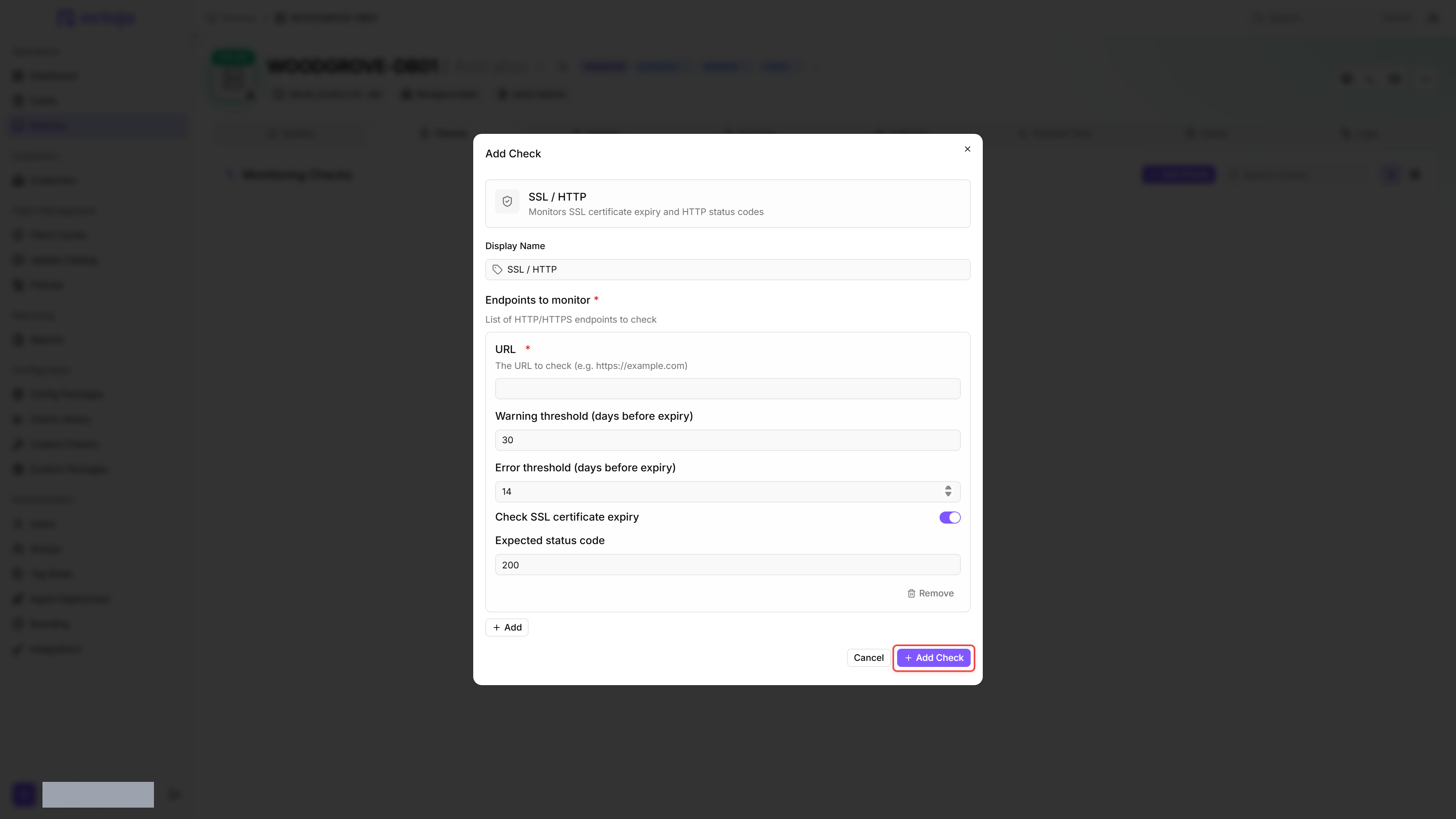
- Click the Checks tab → Add Check → SSL / HTTP.
- Add one or more endpoints under Endpoints to monitor. Leave Expected status code at
200unless the site intentionally returns a different code, and leave Check SSL certificate expiry enabled (recommended). - Click Add Check to confirm.
After the first check interval, the result appears in the device's Checks tab.
Settings
- Multiple endpoints can be added to a single check. Each endpoint is requested independently and reported on its own.
- The check does not follow redirects. If your site redirects (e.g.
http://→https://), enter the final URL to ensure the correct certificate is checked. - If the warning threshold is set lower than the error threshold, the check silently swaps the two values at runtime. Configuring 14/30 (inverted) behaves the same as 30/14.
Results
Every endpoint is graded on its own and the check reports the worst of those grades.
The field names say Error where the result reads Critical: an endpoint whose certificate reaches Error threshold (days before expiry) is graded Critical, as is one that returns the wrong status code. The Error grade is reserved for an endpoint the check could not reach at all.
- Endpoints are requested in parallel, and the 30-second timeout applies to each request on its own. If a site does not answer within that time, the check reports an Error for that endpoint.
- The certificate check retrieves the certificate from the server without validating the full trust chain. This means expired or self-signed certificates are still checked for their expiration rather than being rejected outright.
- If the check has no endpoints configured, it returns a Warning result and the detail view shows "No endpoints monitored."
Output per endpoint
Was this helpful?
Still need help? Ask the team